> ## Documentation Index
> Fetch the complete documentation index at: https://docs.visitoai.com/llms.txt
> Use this file to discover all available pages before exploring further.
# Inbox
> Visito's Inbox centralizes all your channels in one place.
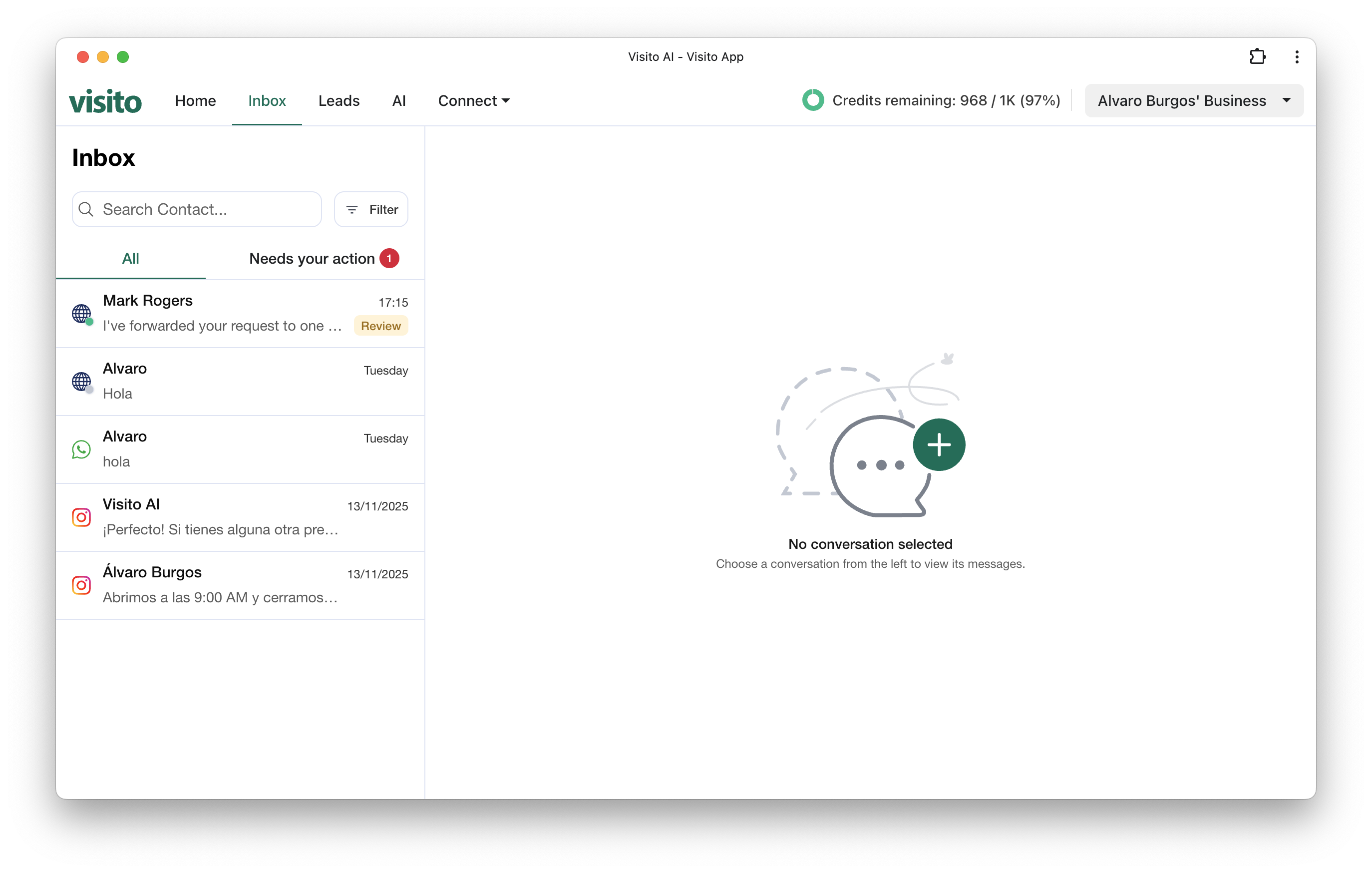
The Visito Inbox brings all your conversations together under a single, unified interface.\
Whether users contact you through WhatsApp, Instagram, or Web Chat, you can monitor AI responses, escalations, reply, and manage every interaction from one place.
 See every conversation from all connected channels in one place.
Automatically highlights conversations that require immediate attention.
Jump into any conversation whenever human assistance is needed.
Upload and send images, files, or documents through supported channels.
Keep your inbox clean and organized by archiving resolved chats.
Prevent unwanted or abusive contacts from messaging your business.
Quickly find users by name, phone number, or message text.
Sort and filter by channel, status, tags, or assigned teammate.
### View Messages
The Inbox provides a real-time history of every conversation coming from your connected channels.
You can see who contacted you, the channel they used, the latest message, and the time of the interaction all in one centralized view.
See every conversation from all connected channels in one place.
Automatically highlights conversations that require immediate attention.
Jump into any conversation whenever human assistance is needed.
Upload and send images, files, or documents through supported channels.
Keep your inbox clean and organized by archiving resolved chats.
Prevent unwanted or abusive contacts from messaging your business.
Quickly find users by name, phone number, or message text.
Sort and filter by channel, status, tags, or assigned teammate.
### View Messages
The Inbox provides a real-time history of every conversation coming from your connected channels.
You can see who contacted you, the channel they used, the latest message, and the time of the interaction all in one centralized view.
 ### Needs Your Action
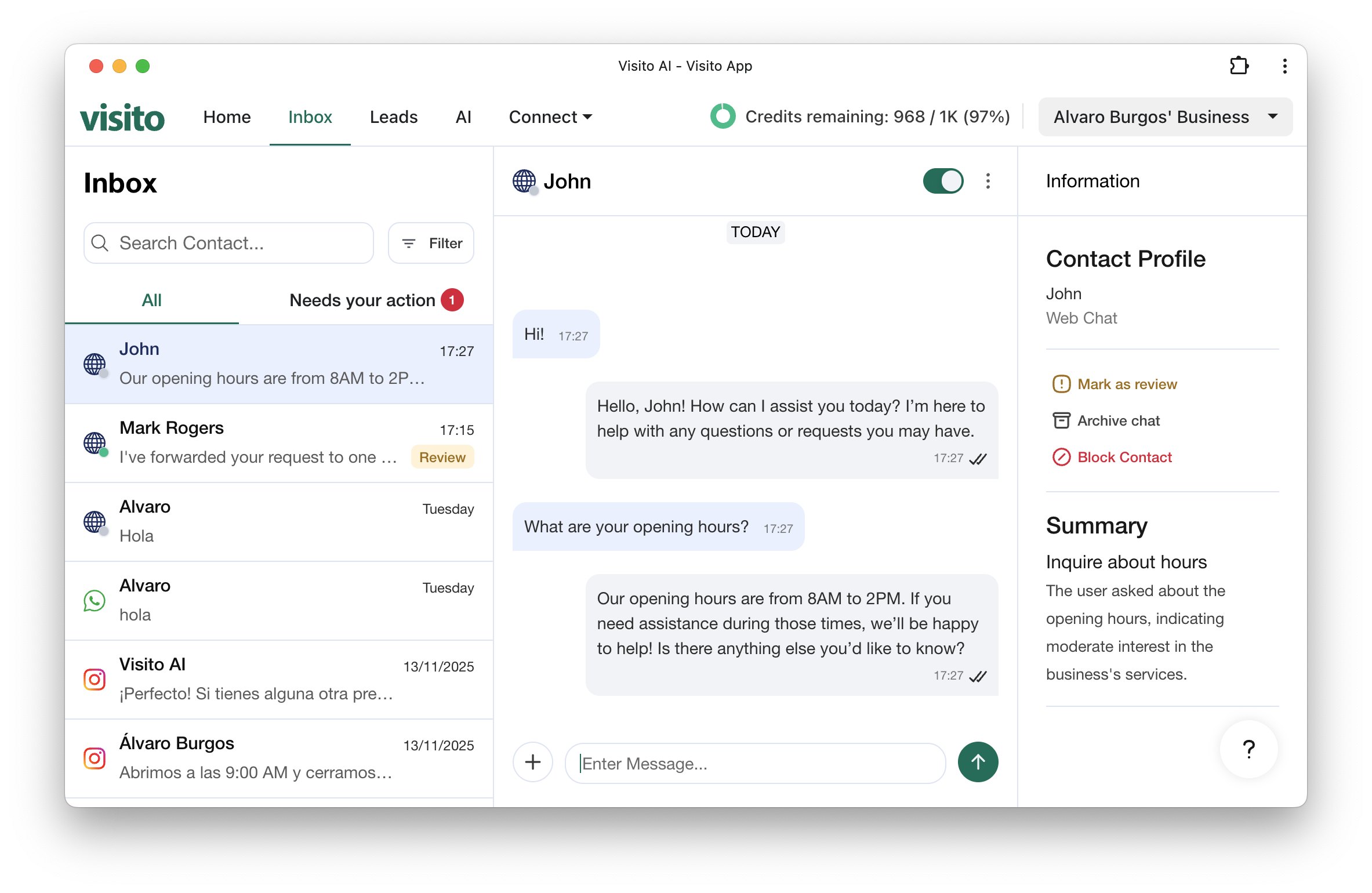
This section automatically highlights conversations that need human attention.\
It includes cases such as AI escalations, user requests for a human agent, low-confidence responses, or conversations waiting for a manual reply.\
The badge helps your team prioritize what matters most and ensures no important message is overlooked.
### Needs Your Action
This section automatically highlights conversations that need human attention.\
It includes cases such as AI escalations, user requests for a human agent, low-confidence responses, or conversations waiting for a manual reply.\
The badge helps your team prioritize what matters most and ensures no important message is overlooked.
 ### **Reply Manually**
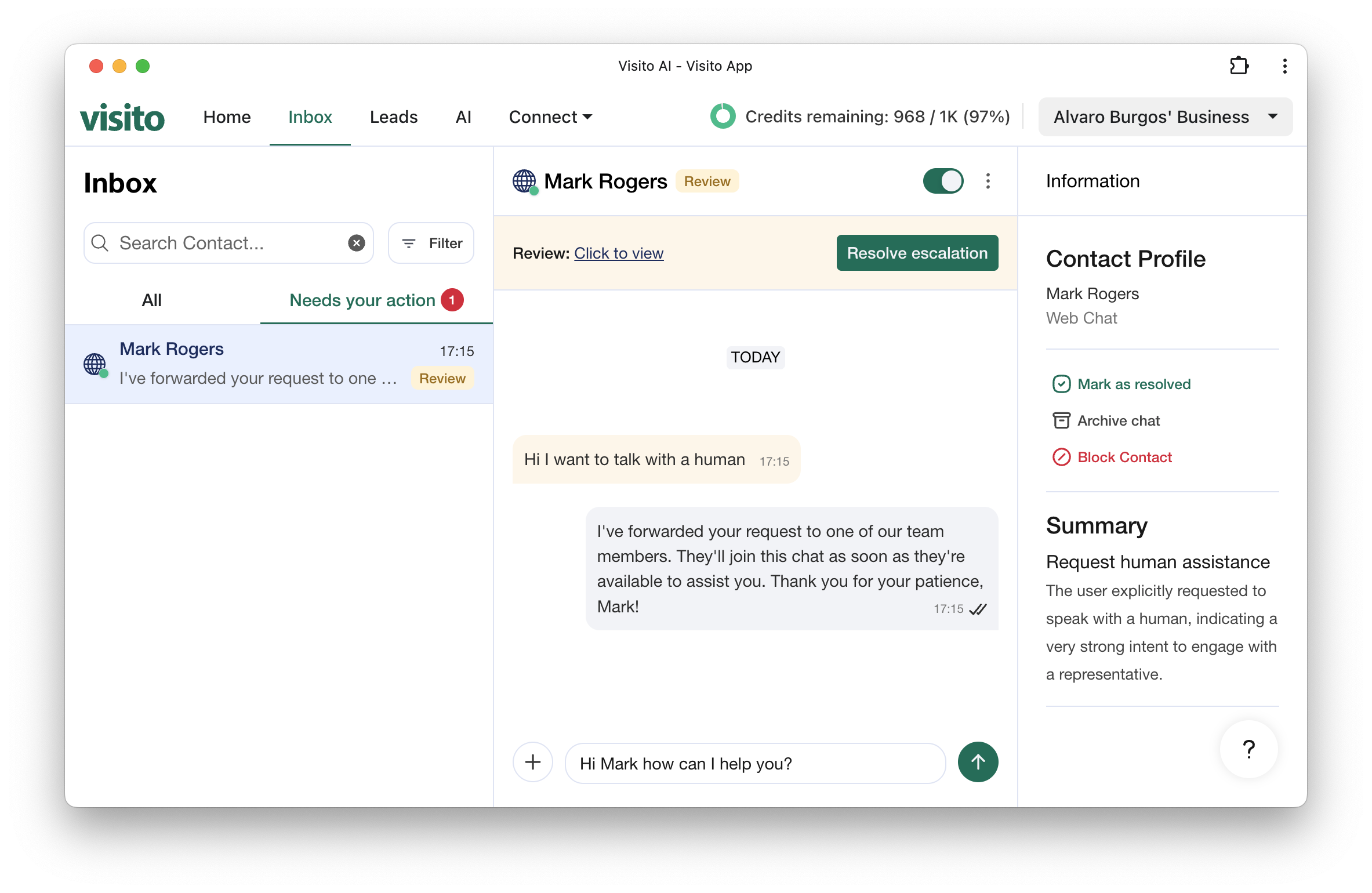
If your AI agent needs support or a conversation requires human judgment, you can step in instantly.
The manual reply mode lets your team take full control - type messages, adjust tone, and provide personalized responses when needed.
### **Send Media**
From the Inbox, you can send files, images, receipts, documents, or any supported media type directly to the user.
### **Search & Filter conversations**
Use the search bar to instantly find conversations by name or phone number and apply filters.
### **Archive Conversations**
When a conversation is resolved or no longer active, you can archive it to keep your workspace clean.
Archived conversations remain accessible for reference, auditing, or analytics — but won’t clutter your active conversation list.
### **Block Users**
If a user is abusive, spammy, or unwanted, you can block them directly from the Inbox.
Blocked users can’t send new messages, helping your team maintain a safe, productive communication environments.
### **Reply Manually**
If your AI agent needs support or a conversation requires human judgment, you can step in instantly.
The manual reply mode lets your team take full control - type messages, adjust tone, and provide personalized responses when needed.
### **Send Media**
From the Inbox, you can send files, images, receipts, documents, or any supported media type directly to the user.
### **Search & Filter conversations**
Use the search bar to instantly find conversations by name or phone number and apply filters.
### **Archive Conversations**
When a conversation is resolved or no longer active, you can archive it to keep your workspace clean.
Archived conversations remain accessible for reference, auditing, or analytics — but won’t clutter your active conversation list.
### **Block Users**
If a user is abusive, spammy, or unwanted, you can block them directly from the Inbox.
Blocked users can’t send new messages, helping your team maintain a safe, productive communication environments.