> ## Documentation Index
> Fetch the complete documentation index at: https://docs.visitoai.com/llms.txt
> Use this file to discover all available pages before exploring further.
# Credits & Billing
> Manage your subscription, message credits, and payment details.
Visito uses a simple subscription model based on monthly **message credits**.\
You can upgrade, downgrade, or change plans anytime.
## Where to Access Billing
You can access your billing dashboard here: [**https://app.visitoai.com/settings/payment**](https://app.visitoai.com/settings/payment)
Or directly from the Visito app: `Menu → Settings → Billing`
## Understanding Your Credits
Every **AI-generated response** counts as one credit.\
This includes replies sent automatically by your AI agent across any connected channel.
When you first join Visito, you start with **100 free message credits** so you can test your agent and explore the platform.
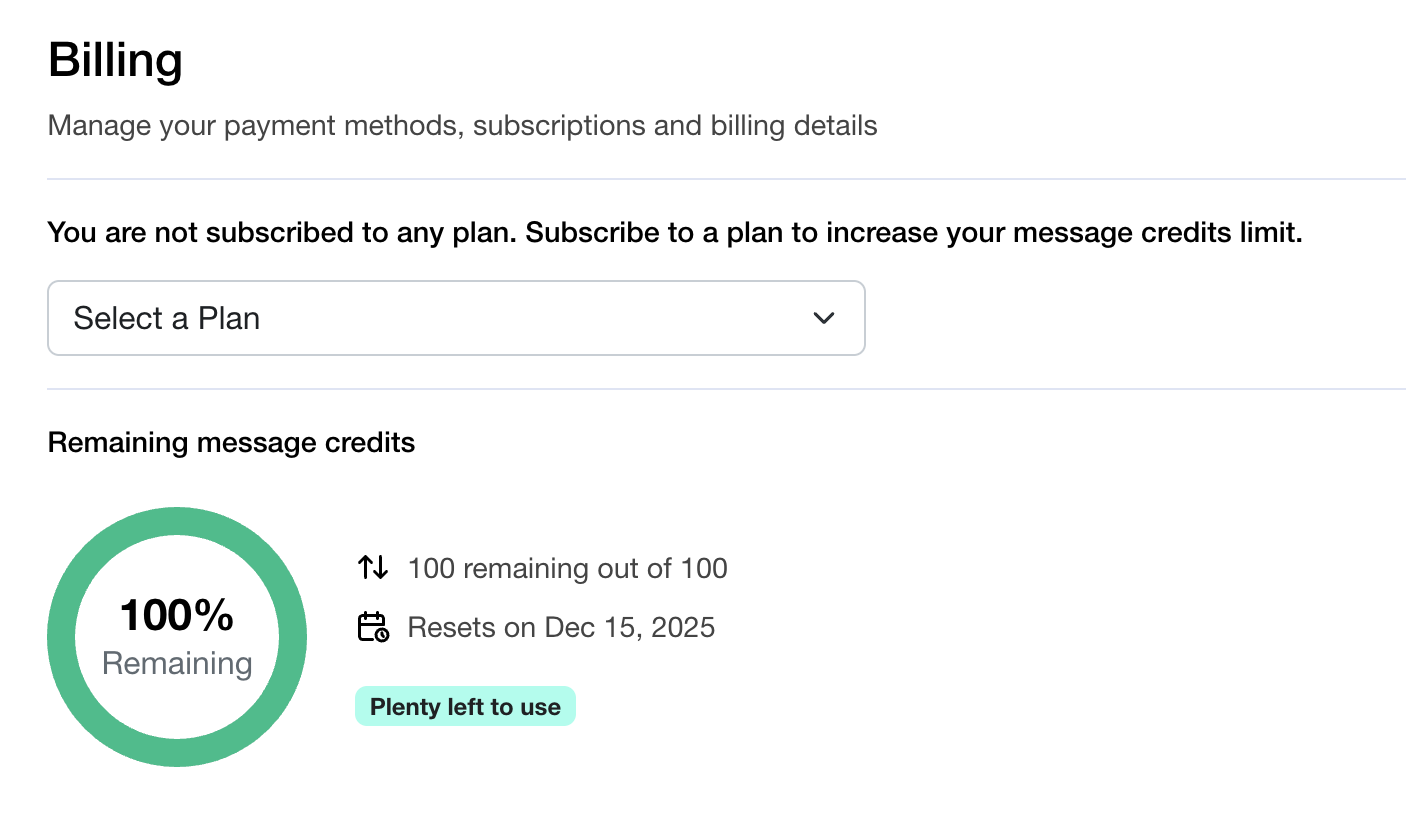 Once you subscribe to a plan, your monthly credit limit increases immediately.\
Each plan includes a set number of credits that **reset every month**, giving you a fresh allowance of AI responses for the next billing cycle.
## Choosing a Subscription Plan
To upgrade your limit, select one of the available plans and complete the checkout flow through Stripe.
**All plans are billed monthly.**
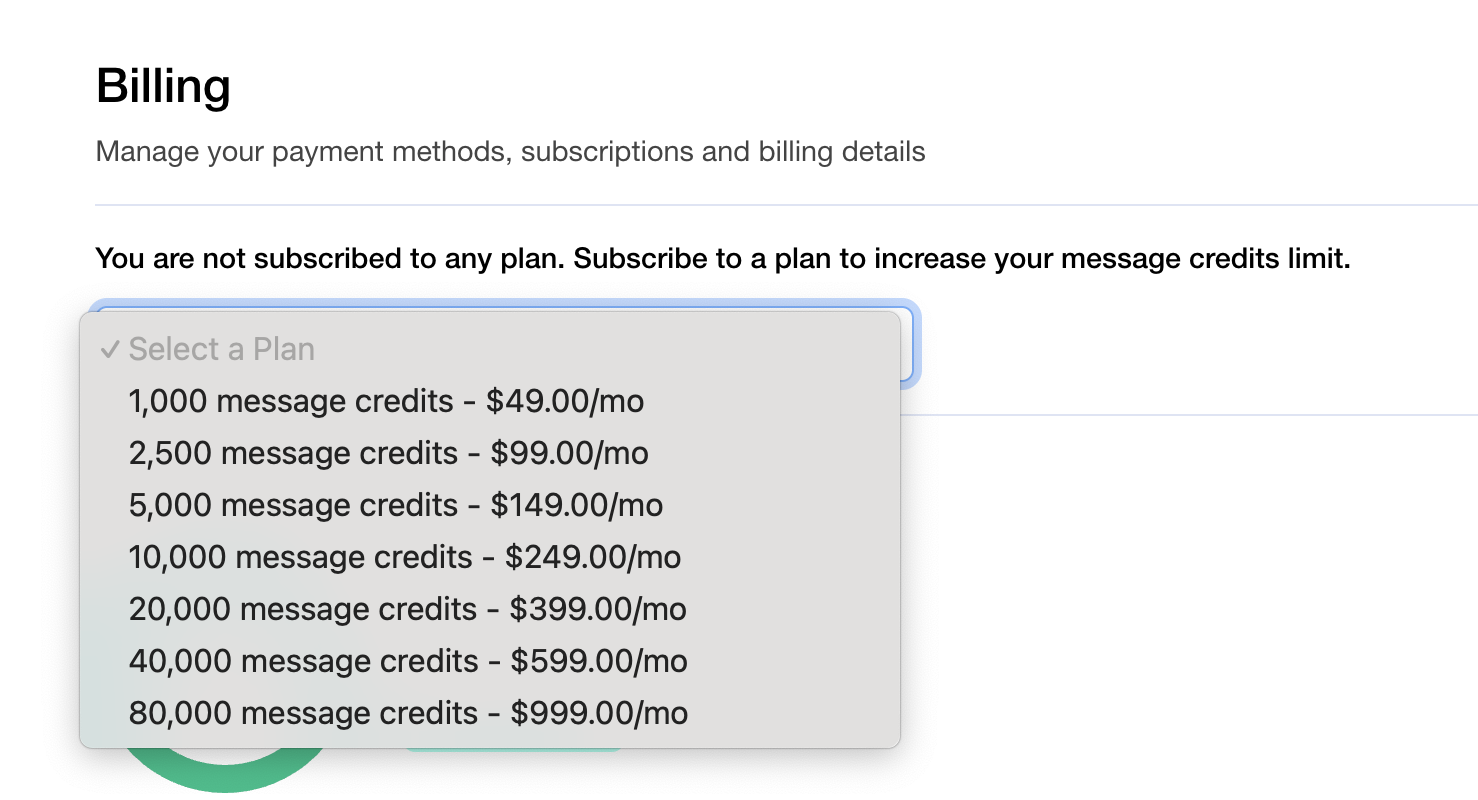
Examples of available plans include:
* 1,000 message credits — \$49/mo
* 2,500 message credits — \$99/mo
* 5,000 message credits — \$149/mo
* 10,000 message credits — \$249/mo
* 20,000 message credits — \$399/mo
* 40,000 message credits — \$599/mo
* 80,000 message credits — \$999/mo
## How to Subscribe
1. Go to your Billing Settings\
👉 [**https://app.visitoai.com/settings/payment**](https://app.visitoai.com/settings/payment)
2. Click **Select a Plan**.
3. Choose your preferred plan.
4. Complete the secure checkout process via Stripe.
5. Your new monthly credit limit becomes active immediately.
Once you subscribe to a plan, your monthly credit limit increases immediately.\
Each plan includes a set number of credits that **reset every month**, giving you a fresh allowance of AI responses for the next billing cycle.
## Choosing a Subscription Plan
To upgrade your limit, select one of the available plans and complete the checkout flow through Stripe.
**All plans are billed monthly.**
Examples of available plans include:
* 1,000 message credits — \$49/mo
* 2,500 message credits — \$99/mo
* 5,000 message credits — \$149/mo
* 10,000 message credits — \$249/mo
* 20,000 message credits — \$399/mo
* 40,000 message credits — \$599/mo
* 80,000 message credits — \$999/mo
## How to Subscribe
1. Go to your Billing Settings\
👉 [**https://app.visitoai.com/settings/payment**](https://app.visitoai.com/settings/payment)
2. Click **Select a Plan**.
3. Choose your preferred plan.
4. Complete the secure checkout process via Stripe.
5. Your new monthly credit limit becomes active immediately.
 ***
## Changing or Upgrading Plans
You can switch plans anytime — upgrade to increase your credits, or downgrade as your needs change.\
Your payment details and subscription renewals are handled through Stripe.
## Remaining Message Credits
Your remaining credits are always visible in your Billing dashboard.\
You’ll see:
* **Total credits included** in your plan
* **How many credits remain** for the current cycle
* **The reset date**, when your credits refresh for the next month
***
## Changing or Upgrading Plans
You can switch plans anytime — upgrade to increase your credits, or downgrade as your needs change.\
Your payment details and subscription renewals are handled through Stripe.
## Remaining Message Credits
Your remaining credits are always visible in your Billing dashboard.\
You’ll see:
* **Total credits included** in your plan
* **How many credits remain** for the current cycle
* **The reset date**, when your credits refresh for the next month
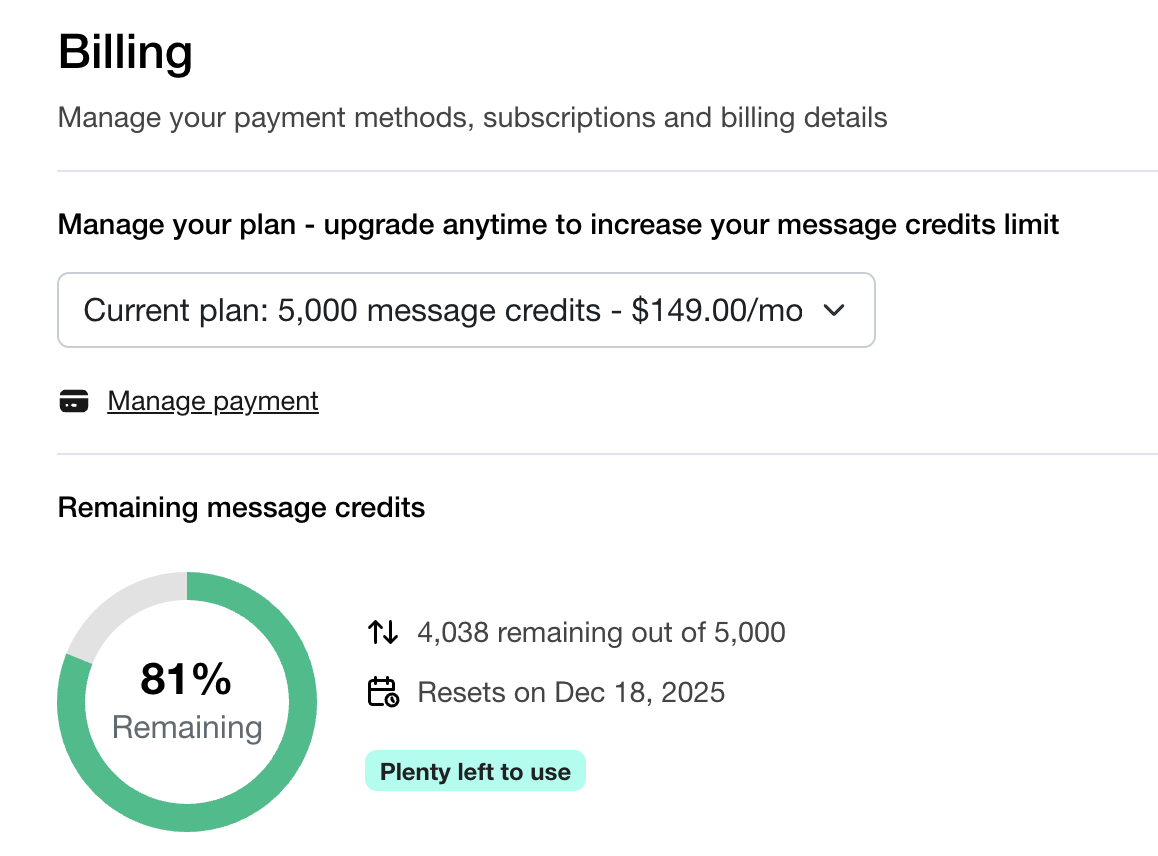 This helps you understand your usage at a glance and ensures you never run out unexpectedly.
## Payment Methods
All payments are processed through **Stripe**, a secure and trusted global payment provider by clicking on Manage payment.
You can:
* Add or update your credit card
* Review your payment history
* Manage invoices
* Update billing details for your business
## Updating or Canceling Your Subscription
You have full control over your subscription at any time.
You can:
* Upgrade or downgrade to a different plan
* Change your payment method
* Cancel your subscription
* Reactivate whenever you need
Any changes you make will take effect immediately or at the next billing cycle.
This helps you understand your usage at a glance and ensures you never run out unexpectedly.
## Payment Methods
All payments are processed through **Stripe**, a secure and trusted global payment provider by clicking on Manage payment.
You can:
* Add or update your credit card
* Review your payment history
* Manage invoices
* Update billing details for your business
## Updating or Canceling Your Subscription
You have full control over your subscription at any time.
You can:
* Upgrade or downgrade to a different plan
* Change your payment method
* Cancel your subscription
* Reactivate whenever you need
Any changes you make will take effect immediately or at the next billing cycle.