> ## Documentation Index
> Fetch the complete documentation index at: https://docs.visitoai.com/llms.txt
> Use this file to discover all available pages before exploring further.
# Billing & Usage
> Track credits and usage analytics, compare time ranges, manage your plan, and open payment settings.
Select **Billing & Usage** near the bottom of the sidebar. The page has separate **Usage** and **Billing** tabs.
## Usage
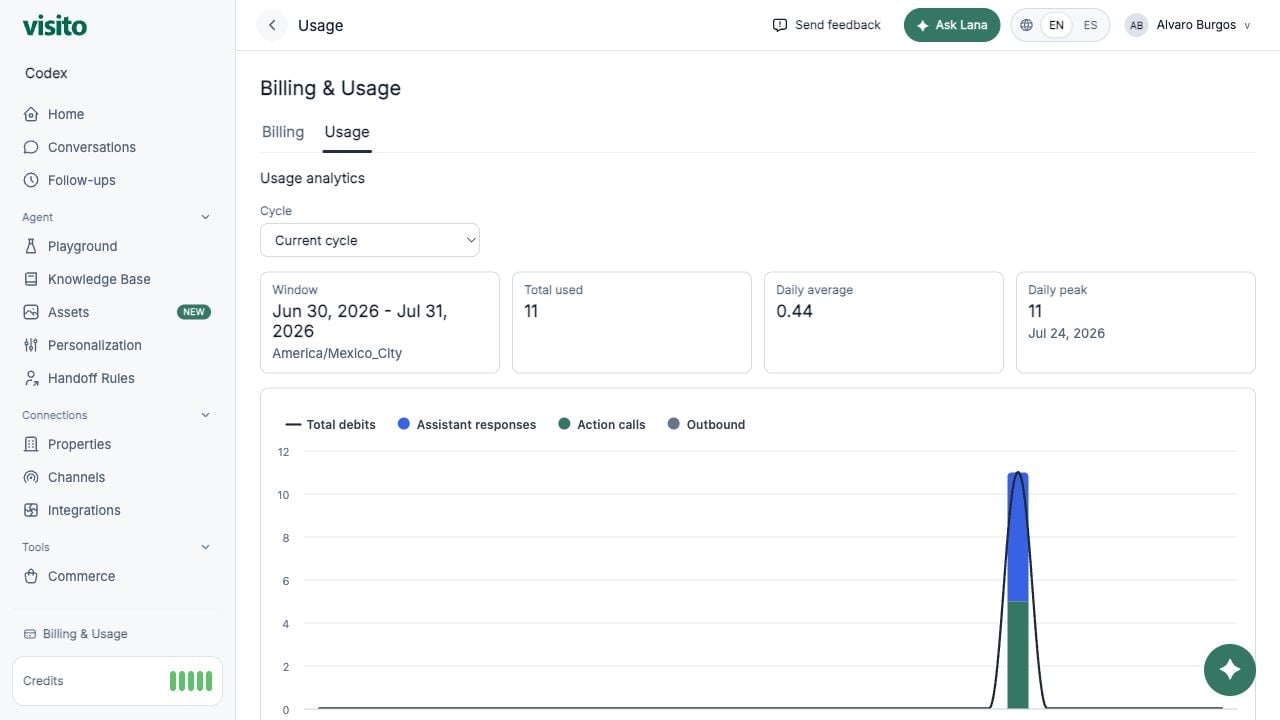 Use the cycle selector to review the current billing cycle, recent date presets, or a custom range.
The summary includes:
* Window and workspace timezone
* Total usage
* Daily average and daily peak
* Assistant responses
* Action calls
* Outbound messages
## Billing
Use the cycle selector to review the current billing cycle, recent date presets, or a custom range.
The summary includes:
* Window and workspace timezone
* Total usage
* Daily average and daily peak
* Assistant responses
* Action calls
* Outbound messages
## Billing
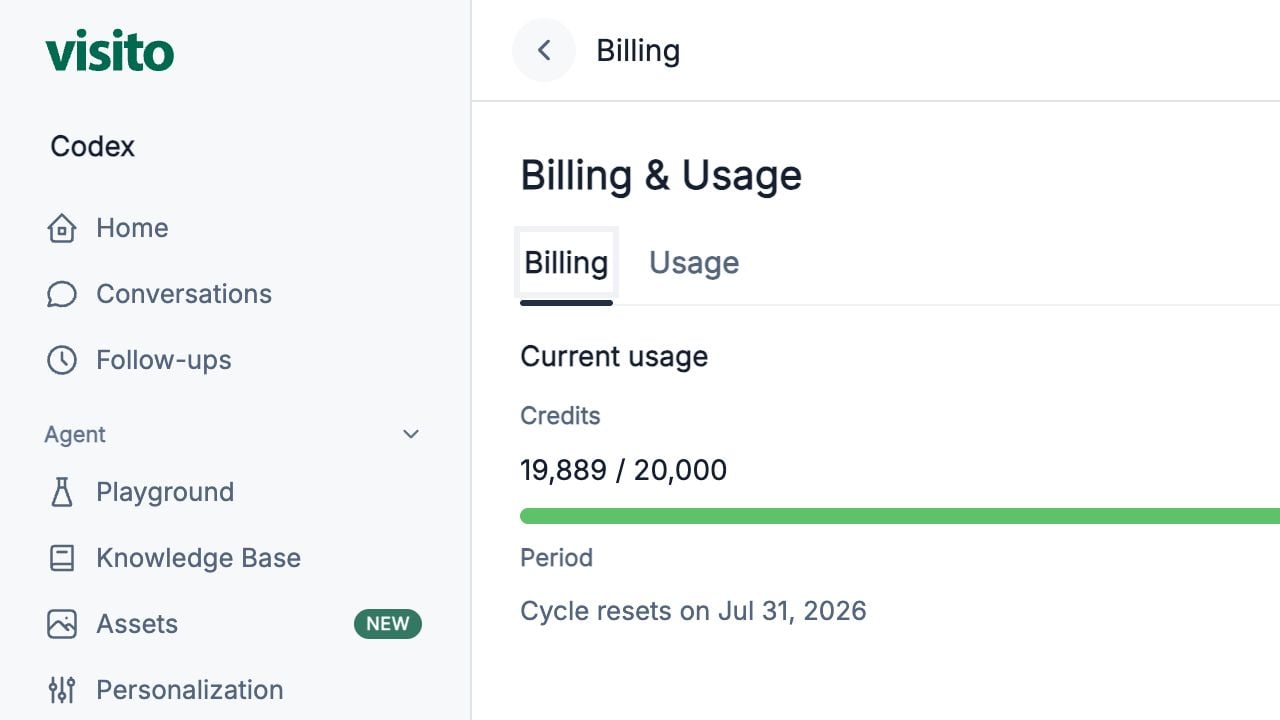 The Billing tab shows:
* Credits used and remaining
* Credit health
* Cycle reset date
* Current plan and available plan options
* Payment-management action
## Sidebar credits
The sidebar widget stays visible while you work. It is workspace-aware and indicates healthy, low, critical, or depleted balance.
One credit represents one AI message reply. Customer messages and manual team replies do not consume AI reply credits.
The Billing tab shows:
* Credits used and remaining
* Credit health
* Cycle reset date
* Current plan and available plan options
* Payment-management action
## Sidebar credits
The sidebar widget stays visible while you work. It is workspace-aware and indicates healthy, low, critical, or depleted balance.
One credit represents one AI message reply. Customer messages and manual team replies do not consume AI reply credits.