
What a handoff changes
A handoff tells Visito that a person must take over a customer request. When a rule creates one:- The conversation appears in Home and the Handoff Conversations view.
- Visito records the reason, captured details, missing fields, and time of the request.
- AI replies pause while the handoff is unresolved.
- New customer messages stay in the thread and keep it marked for attention.
- A teammate can reply manually, assign an owner, and record the final outcome.
Where handoff rules apply
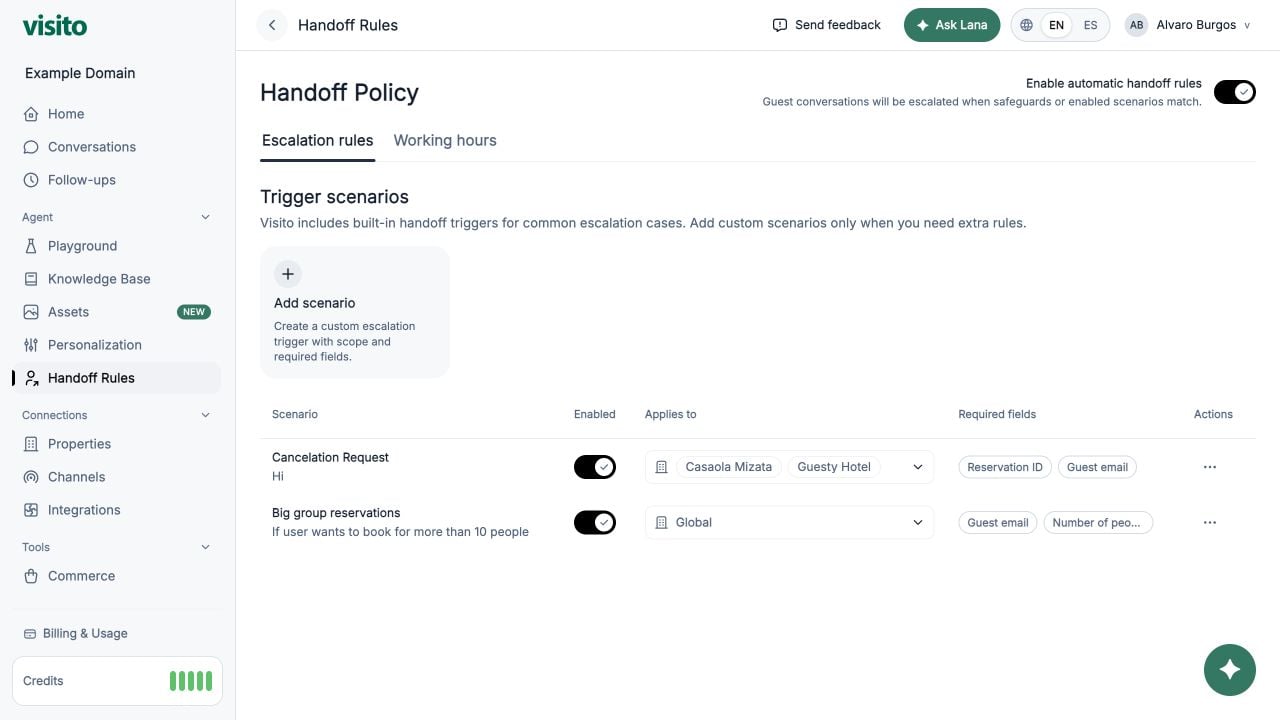
Handoffs use a separate workflow. Their clarification and acknowledgment do not load the normal Knowledge Base context or Custom Instructions. Configure scenario triggers and required fields here rather than in a knowledge document or personalization rule. Required fields are prerequisites for the matched scenario. If a field is missing, Visito asks for it before creating that scenario’s handoff. Only require information that can safely delay escalation. This setting does not mean “ask optionally while escalating immediately.” An explicit request to speak with a person has its own handoff route. Do not assume that creating a scenario named “Customer requests a person” makes its required fields apply to that route or to every handoff. Test explicit requests separately from configured scenarios. For immediate escalation, do not add contact details as required prerequisites. Asking for optional contact details while preserving immediate escalation is not provided by the required-field setting. Prechat contact fields are a separate webchat setting that applies before the conversation, not only at handoff. Open Handoff Rules in your active workspace.Master switch
Use Enable automatic handoff rules to turn policy-driven handoffs on or off for the active workspace. When it is off, scenario rules remain visible but cannot trigger. This switch does not disable operator-created internal reviews.Knowledge gaps
Open the Knowledge gaps section to choose what Visito does when it cannot find enough trustworthy information for an answer:
Receipts can identify missing knowledge, weak evidence, contradictory evidence, stale or unverifiable information, or a question that requires a live provider. Open the receipt in the conversation to review the reason, configured behavior, outcome, and related handoff when one was created.
Use reported gaps as a maintenance queue: verify the correct answer, update the relevant Knowledge Base source or integration, and retest the question. A receipt is visible only to operators; it is not itself a message to the customer.
Escalation scenarios
Each scenario includes:- Name and description
- Enabled state
- Global or selected-business scope
- Required fields to capture
- Optional severity and priority settings
Example: invoice request
Working hours
Open the Working hours tab to tell the AI when your team is available.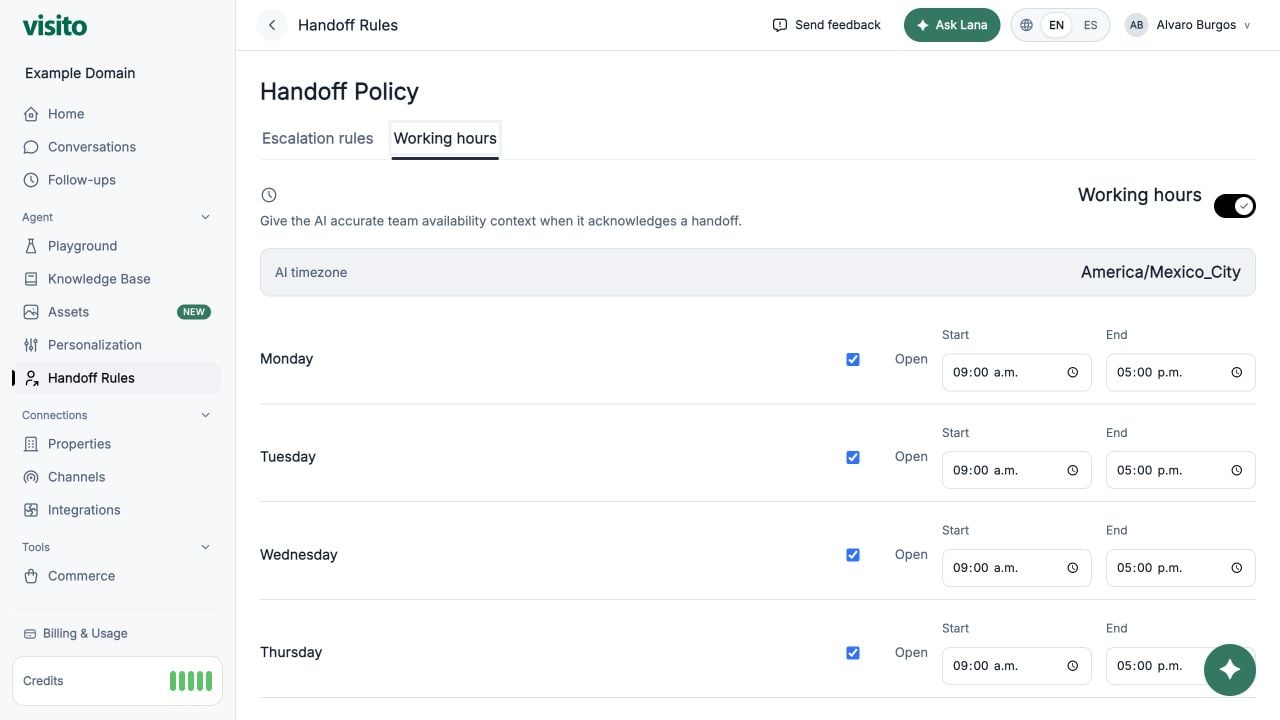
- Turn on Use working hours in handoff responses.
- Mark each day open or closed.
- Enter the start and end time for open days.
- Review Response context preview.
- Select Save working hours.
Resolve a handoff
Handoffs appear in Home and the Handoff Conversations view.- Open the thread and review the reason, customer messages, captured fields, and missing fields.
- Assign a conversation owner if one person should handle the request.
- Complete the task and reply to the customer when needed.
- Add an optional resolution note that records the outcome.
- Select Resolve handoff.
Handoff vs internal review
Choose based on whether the customer needs a person to take over:
Only one internal review can be open at a time, and it cannot be requested during an active handoff. If a new handoff occurs while a review is open, the handoff supersedes the review.
Handle handoffs and internal reviews
Follow the operator workflow, assign responsibility, and choose between resolve, archive, and block.
Handoff design best practices
Start with high-value scenarios, choose useful fields, and test false positives.