
You can upgrade, downgrade, or change plans anytime.
Where to Access Billing
You can access your billing dashboard here: https://app.visitoai.com/settings/payment Or directly from the Visito app:Menu → Settings → Billing
Understanding Your Credits
Every AI-generated response counts as one credit.This includes replies sent automatically by your AI agent across any connected channel. When you first join Visito, you start with 100 free message credits so you can test your agent and explore the platform.
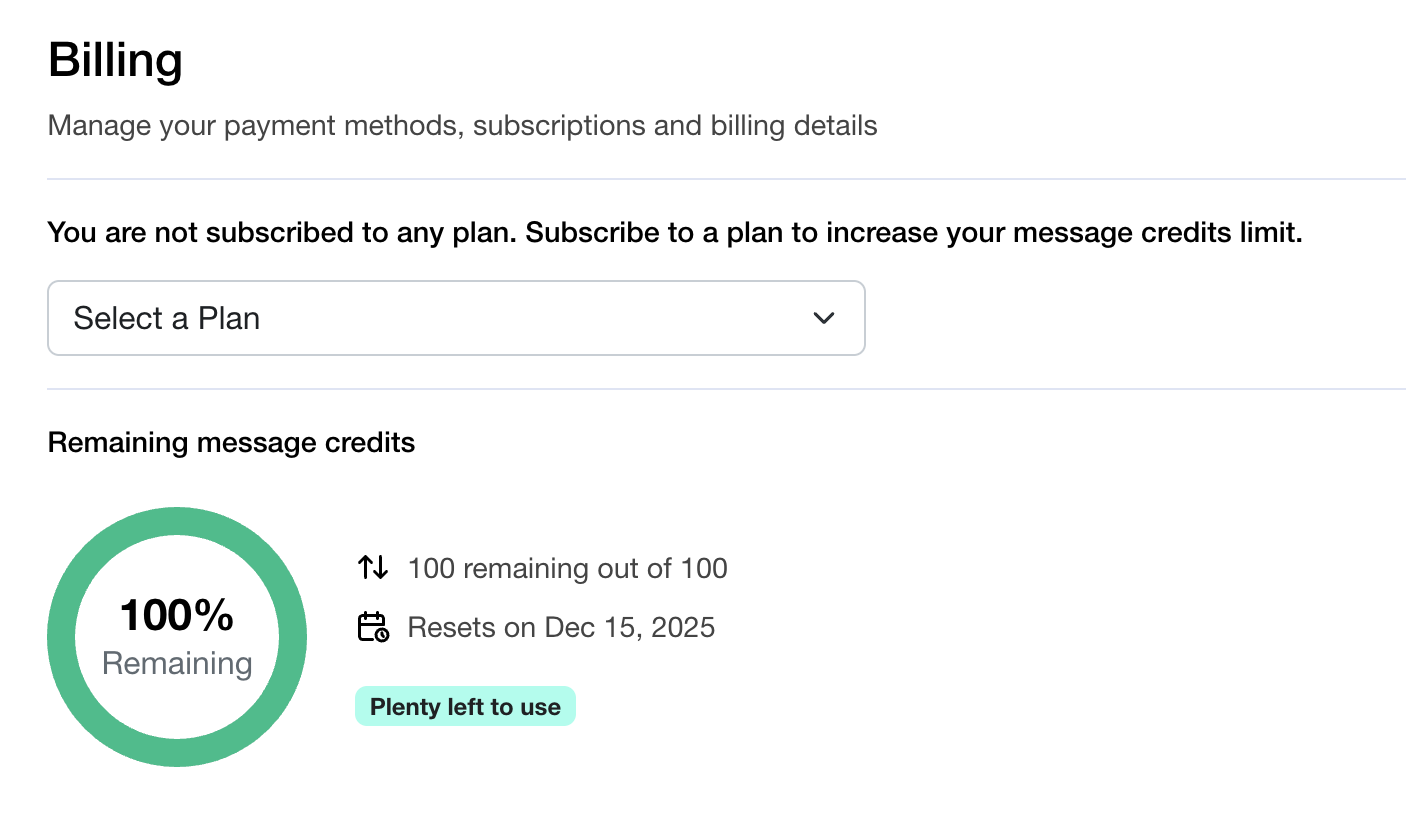
Each plan includes a set number of credits that reset every month, giving you a fresh allowance of AI responses for the next billing cycle.
Choosing a Subscription Plan
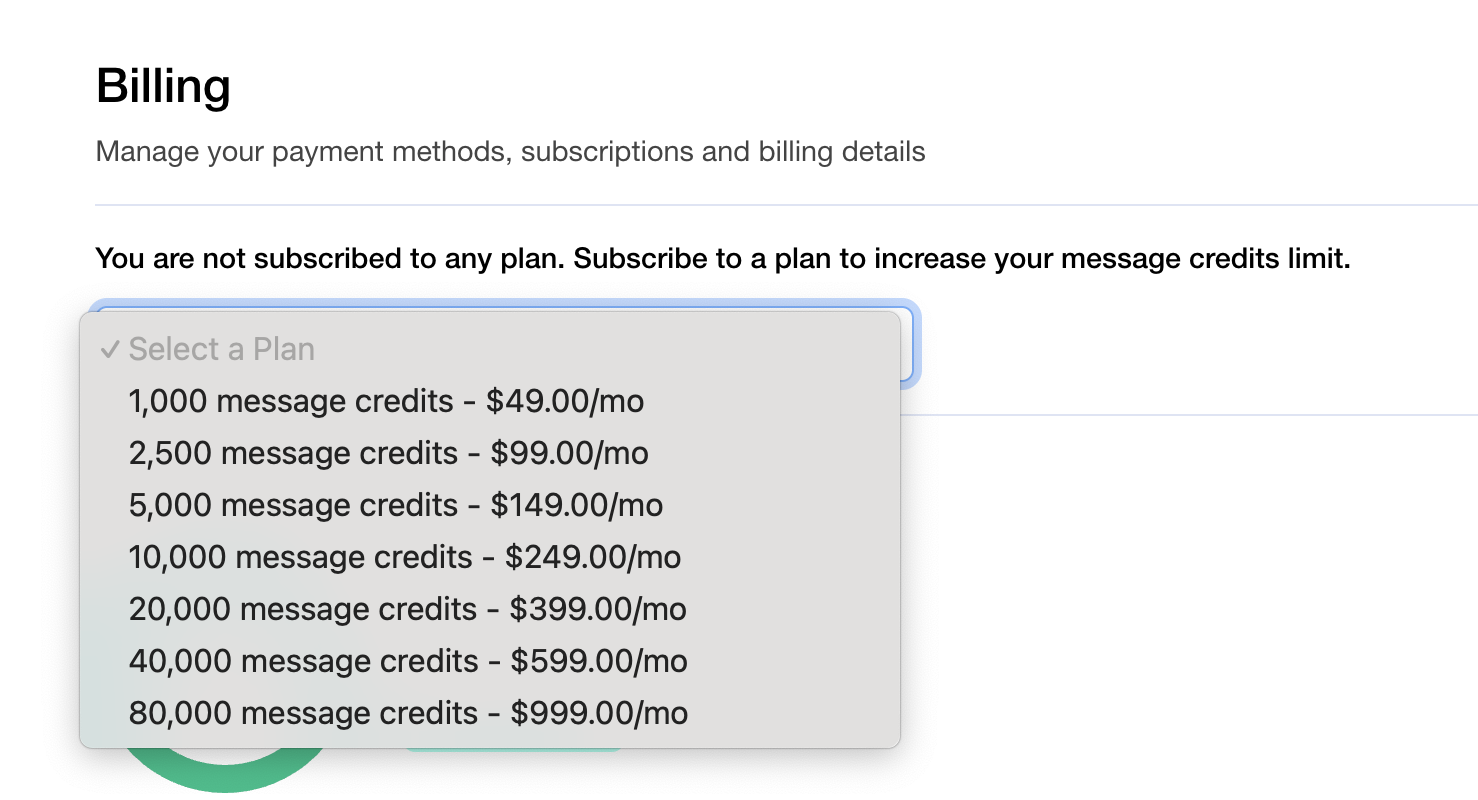
To upgrade your limit, select one of the available plans and complete the checkout flow through Stripe. All plans are billed monthly. Examples of available plans include:- 1,000 message credits — $49/mo
- 2,500 message credits — $99/mo
- 5,000 message credits — $149/mo
- 10,000 message credits — $249/mo
- 20,000 message credits — $399/mo
- 40,000 message credits — $599/mo
- 80,000 message credits — $999/mo
How to Subscribe
- Go to your Billing Settings
👉 https://app.visitoai.com/settings/payment - Click Select a Plan.
- Choose your preferred plan.
- Complete the secure checkout process via Stripe.
- Your new monthly credit limit becomes active immediately.
Changing or Upgrading Plans
You can switch plans anytime — upgrade to increase your credits, or downgrade as your needs change.Your payment details and subscription renewals are handled through Stripe.
Remaining Message Credits
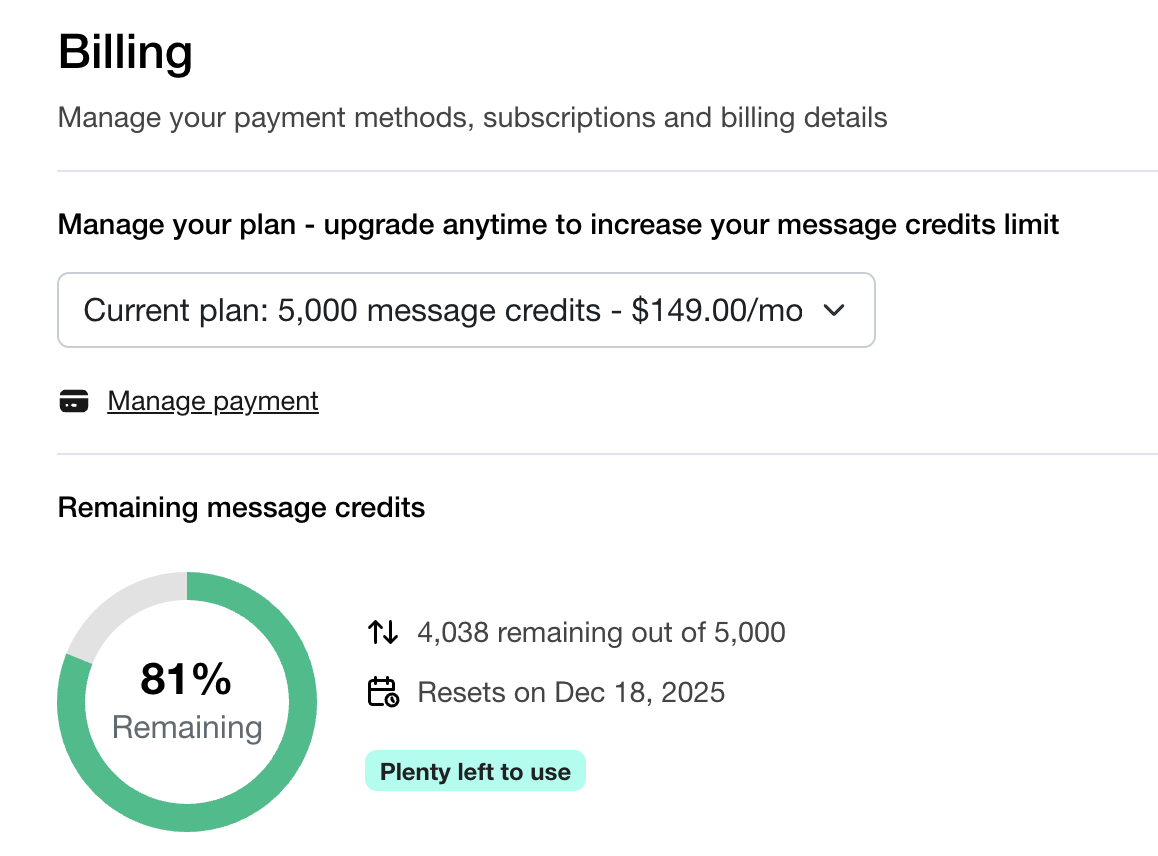
Your remaining credits are always visible in your Billing dashboard.You’ll see:
- Total credits included in your plan
- How many credits remain for the current cycle
- The reset date, when your credits refresh for the next month
Payment Methods
All payments are processed through Stripe, a secure and trusted global payment provider by clicking on Manage payment. You can:- Add or update your credit card
- Review your payment history
- Manage invoices
- Update billing details for your business
Updating or Canceling Your Subscription
You have full control over your subscription at any time. You can:- Upgrade or downgrade to a different plan
- Change your payment method
- Cancel your subscription
- Reactivate whenever you need