
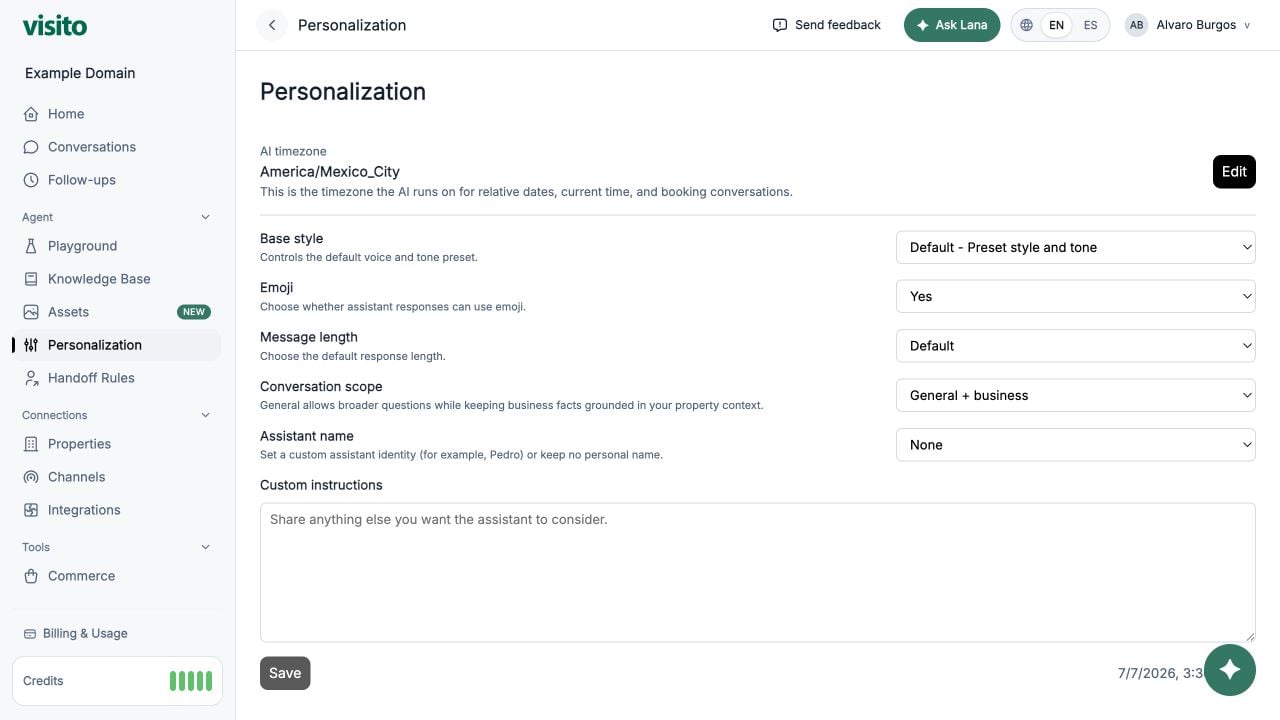
AI timezone
The AI timezone grounds relative dates, current time, time-sensitive conversations, and handoff working hours. Select Edit to change it.Base style
Choose a tone preset:- Default
- Professional
- Friendly
- Candid
- Quirky
- Efficient
- Cynical
Response preferences
- Emoji - allow or prevent emoji in assistant responses.
- Message length - Default, Short, or Long.
- Conversation scope - Business only for strict business topics, or General + business for broader conversation while keeping business facts grounded.
- Assistant name - no personal name or a custom identity.
Custom instructions
Use custom instructions for stable behavior that does not belong in factual knowledge, such as:- Preferred greeting or sign-off
- Brand wording
- Topics to avoid
- How to format recommendations
- When to ask clarifying questions
Starter example
Custom Instructions best practices
Use copy-ready patterns, avoid conflicting rules, and test each behavior.