
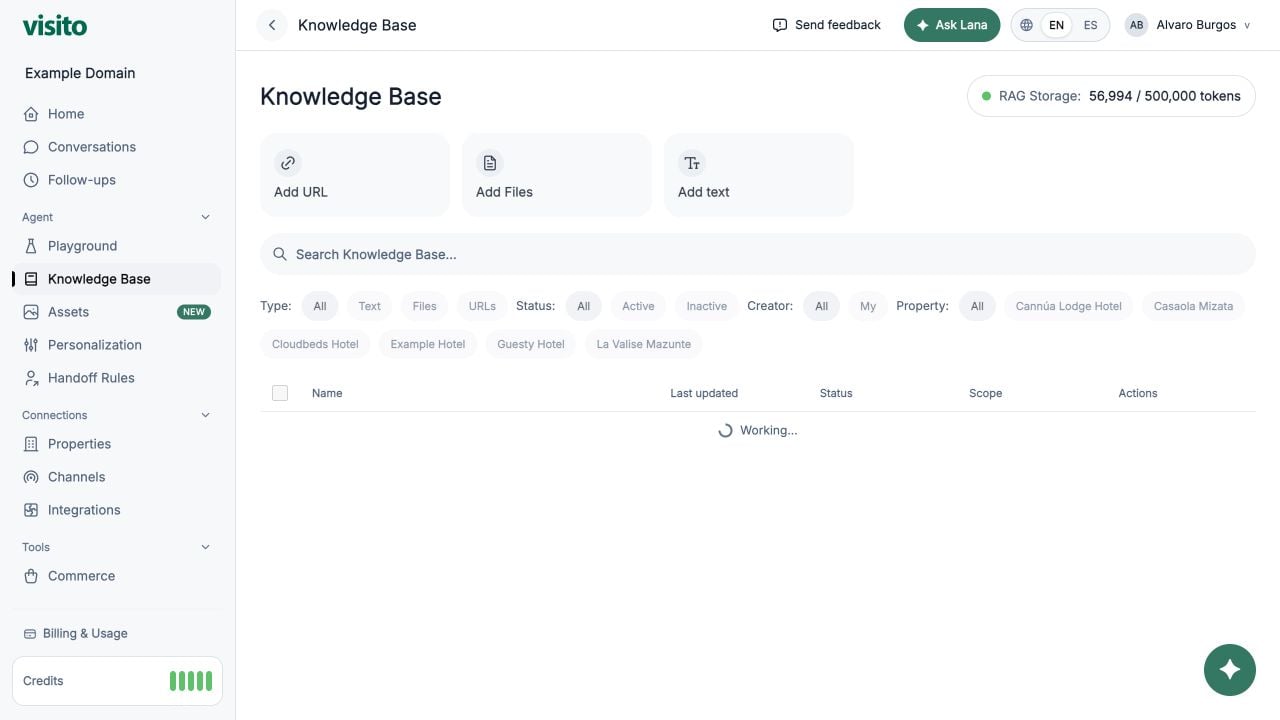
Add a source
Choose one of three source types:- Add URL - add a single page or start a website crawl.
- Add Files - upload supported documents or images for extraction.
- Add text - enter a title and precise manual content such as policies, FAQs, or temporary instructions.
Add one page or a whole website
When you add a URL, choose the scope that matches the content:- Single page indexes only the entered page.
- Whole website follows discoverable same-site links and groups the result as one website source. A crawl is bounded to 500 pages.
Example: a policy the team must confirm
Organize sources
Use search and filters to narrow by:- Type: Text, Files, or URLs
- Status: Active or Inactive
- Creator: All or Mine
- Business: All, Global, or a specific business
Business scope
- Global sources are available across the workspace.
- A business-scoped source is used only in that business’s context.
Activate or deactivate
Turn a source off when it should stop influencing responses without deleting it. You can reactivate it later. For a website source, the main status switch temporarily removes all of its pages from retrieval without erasing the saved page and path selections.Edit or delete
Open row actions to inspect source details. Manual text can be edited. Delete a source only when it should be removed from the workspace.Storage usage
The RAG storage counter shows how many indexed tokens the workspace currently uses against its limit. Visito checks the projected active storage before activating a source. If an initial website crawl would exceed the workspace limit, the crawl can finish with the website inactive so you can review its pages without replacing active knowledge. Deactivate unused content or select Upgrade now when the dashboard offers it, then activate the source.Knowledge files teach the AI. If you want the AI to send an image or document directly to a customer, add it in Assets instead.
Knowledge Base best practices
Plan topic coverage, write precise sources, handle multiple businesses, and test retrieval.