Open a contact in Conversations. Above the message box, choose who the note is for. Type the note and select Save. Saving a note sends no chat message. Each contact has room for one note of each type, up to 5,000 characters each. Reopen the same tab to edit or delete it. Internal note in the conversation composer with a reminder for reception

Try it in Webchat

  1. Open your Webchat as a guest and send a greeting. Keep that chat open.
  2. In Conversations, open the same Webchat thread. Select AI context, enter Prefers a vegan breakfast. and select Save.
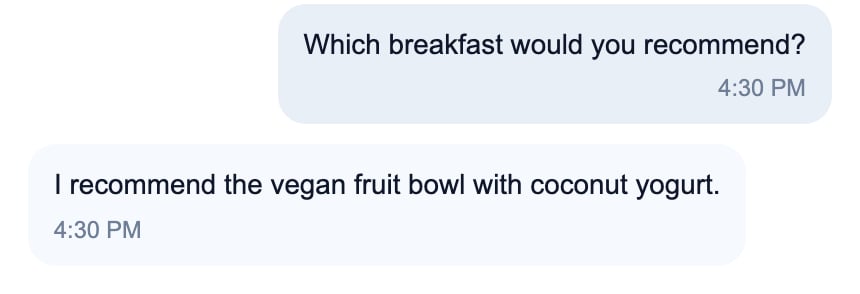
  3. Back in the guest chat, ask Which breakfast would you recommend?

AI context tab showing the guest’s vegan breakfast preference In this test, the hotel menu included an omelet and a vegan fruit bowl. The guest saw the recommendation below. The reception reminder stayed private. The guest asks for a breakfast recommendation and Visito recommends the vegan fruit bowl with coconut yogurt Visito can use the saved preference in subsequent text replies to this contact on this channel. To change the preference, edit the note before the guest sends their next message. An external CRM can also keep a contact’s AI note up to date. Sync a note from your CRM