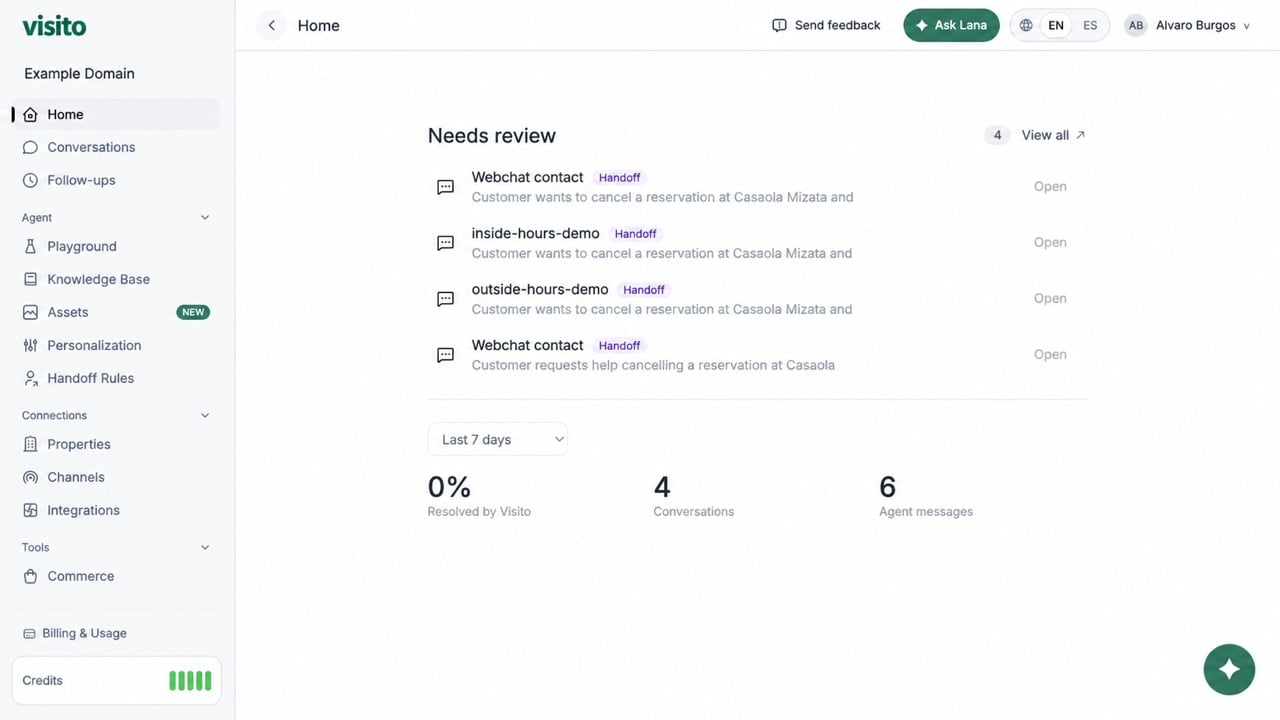
Home is the first page after sign-in. It gives operators a fast summary of work that needs attention and recent agent activity. Visito Home dashboard

Needs review

The Needs review section lists current conversations that require an operator:
  • Handoff - a guest-facing escalation that pauses AI replies until a teammate handles and resolves it.
  • Internal review - an operator-only quality or policy check that does not change AI behavior.
Select Open to go directly to the conversation. Select View all to open the filtered Conversations inbox. Opening an item does not complete it. Use Resolve handoff after handling an escalation or Mark reviewed after completing an internal review. See how to manage escalations and reviews.

Performance summary

Use the date-range selector to review:
  • Percentage resolved by Visito
  • Total conversations
  • Agent messages
Available ranges include the last 7 days, last 30 days, this month, and last month.

Credits

The sidebar credits widget shows the active workspace’s remaining balance and health state. Select it or Billing & Usage to review detailed usage, cycle dates, and plans. Learn what counts as a Visito credit.

Ask Lana

Select Ask Lana in the top bar or floating button for help with the current page and supported current-record summaries.