
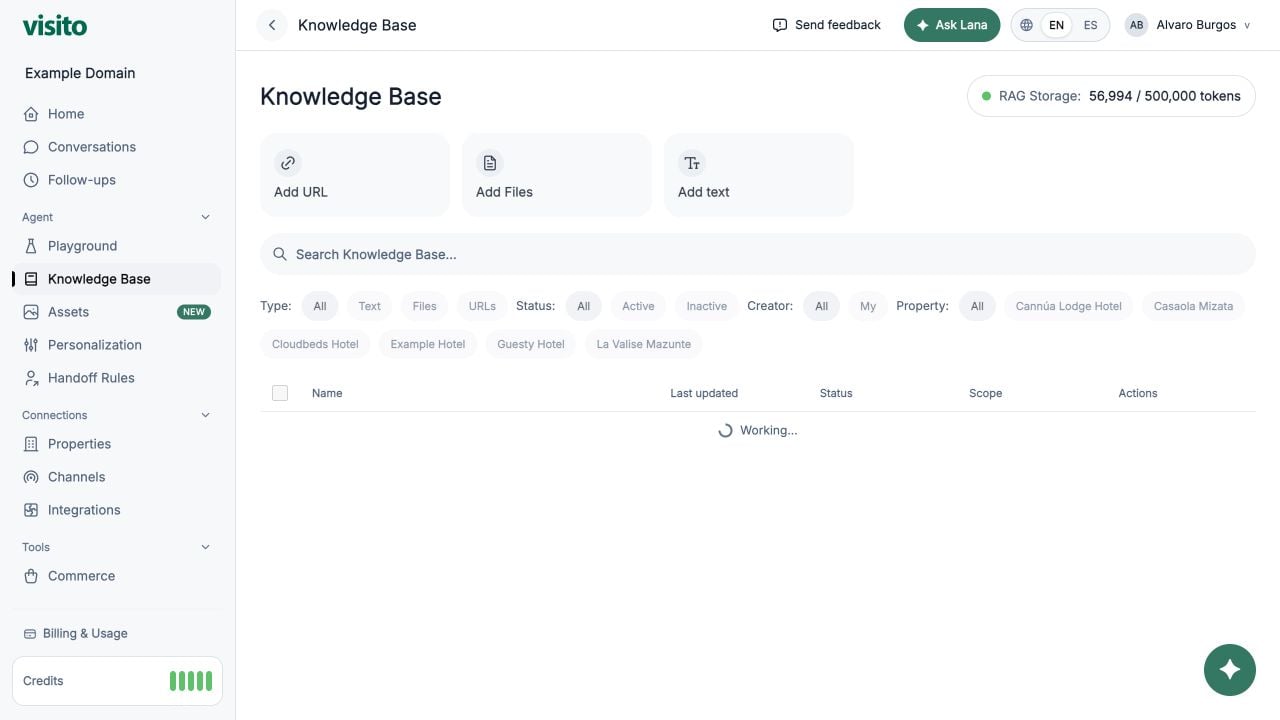
What belongs where
Knowledge sources are retrieved selectively, not loaded for every message. Put behavioral booking guidance in Custom Instructions and escalation requirements in Handoff Rules, rather than embedding mandatory flows in knowledge documents.
Start with essential customer questions
Before adding sources, list the questions your team answers repeatedly. A useful starter set is:- Business hours and ways to contact the team
- Products, services, and current pricing
- Ordering, booking, or appointment processes
- Payment, cancellation, return, and refund policies
- Delivery, pickup, service areas, or access instructions
- Availability, lead times, and fulfillment expectations
- Accessibility and customer requirements
- Account, warranty, or post-purchase support
- Locations and directions
- How to contact a person
Add a focused text source
1
Open Knowledge Base
Go to Configuration → Knowledge Base and select Add text.
2
Use a searchable title
Name the source after the topic, such as Cancellation policy - Downtown Business.
3
Write explicit facts
Include the policy, applicable times or prices, exceptions, and what requires team confirmation.
4
Set business scope
Select the relevant business. Use Global only when the information is identical across the workspace.
5
Save and test
Start a new Playground chat and ask the same question in several natural ways.
Copy-ready example
Replace the bracketed values with your actual policy:Prefer precise language
Choose the right source type
- Manual text - best for policies, temporary notices, exceptions, and concise facts your team maintains directly.
- Single URL - best for one authoritative, frequently updated public page.
- Website crawl - useful for broad initial coverage, followed by review and cleanup.
- Files - useful for structured reference material the agent should read but not send directly.
Scope multi-business knowledge
Use Global only for facts that truly apply everywhere, such as a company-wide loyalty program. Scope operational facts to a business when addresses, hours, services, fees, or policies differ. For example, create:- Business hours - Downtown
- Business hours - Airport
Test retrieval
In a new Playground chat, ask:- The exact FAQ: “What are your support hours?”
- A paraphrase: “Are you open on Sunday?”
- A question with missing business context
- A question containing an incorrect assumption
- A related question the source should not answer
Maintain the Knowledge Base
- Assign an owner for each policy area.
- Include dates in time-sensitive source titles.
- Deactivate expired information immediately.
- Review top conversation questions monthly.
- Search for overlapping sources before adding a new one.
- Retest affected questions after every material change.
Knowledge Base reference
Review source types, filters, business scope, activation, and storage usage.