
Choose the right connection pattern
Use Knowledge for general policies and FAQs. Use this action for facts that depend on the supplied order number and a current server lookup. Keep refunds, cancellations, and other mutations in separately authorized actions.
1. Prepare the server
Use a test workspace, administrator access, a reachable endpoint, and synthetic orders. The demonstrated server acceptsPOST /visito/order-status, checks a Bearer token, reads arguments.order_number, and returns one of these results:
The fixtures are examples, not real deliveries. Replace dates and records when reusing the demo. The backend URL must be reachable from Visito’s server, not merely your browser. The screenshots use a local Docker hostname; hosted Visito cannot reach it. See the network setup.
2. Create the action
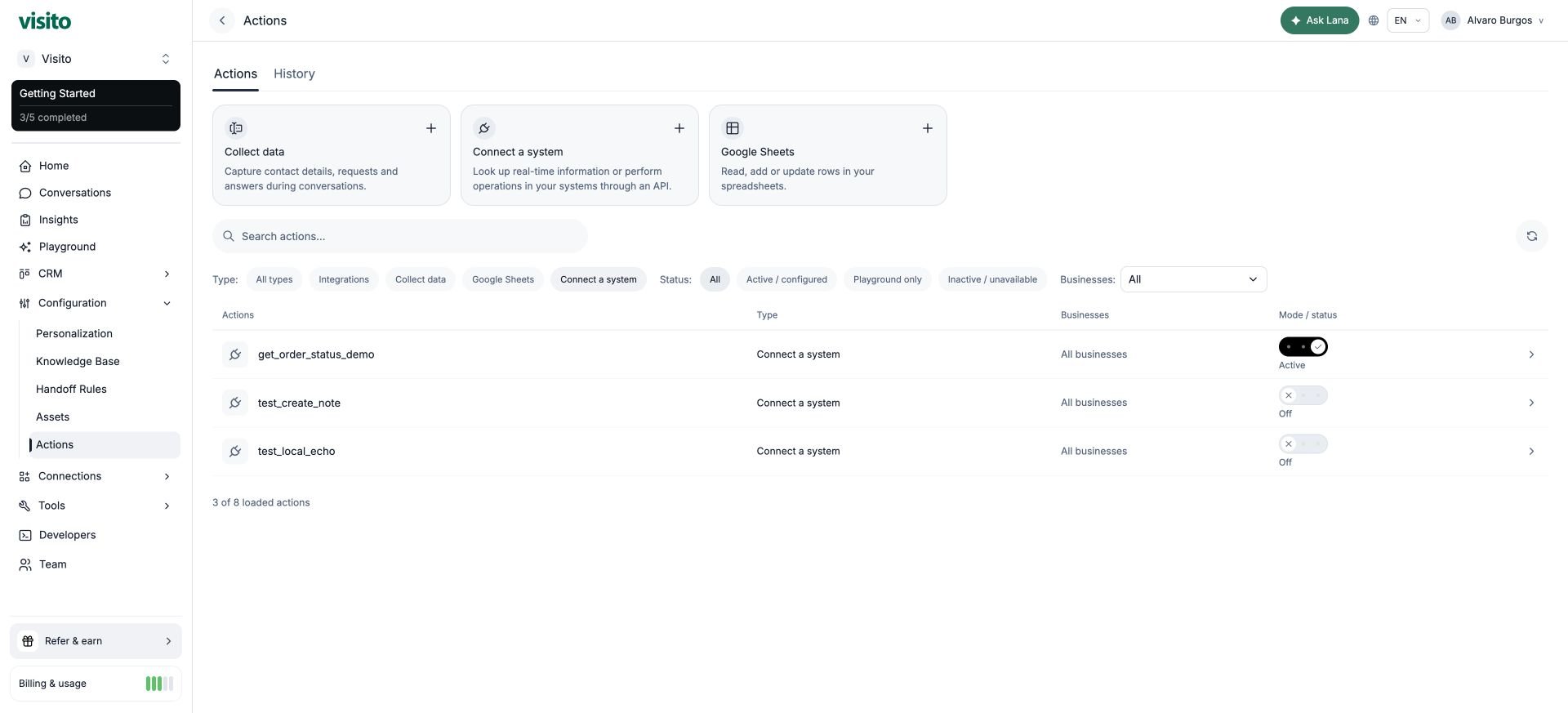
Go to Configuration → Actions → Connect a system. The editor is titled New HTTP action.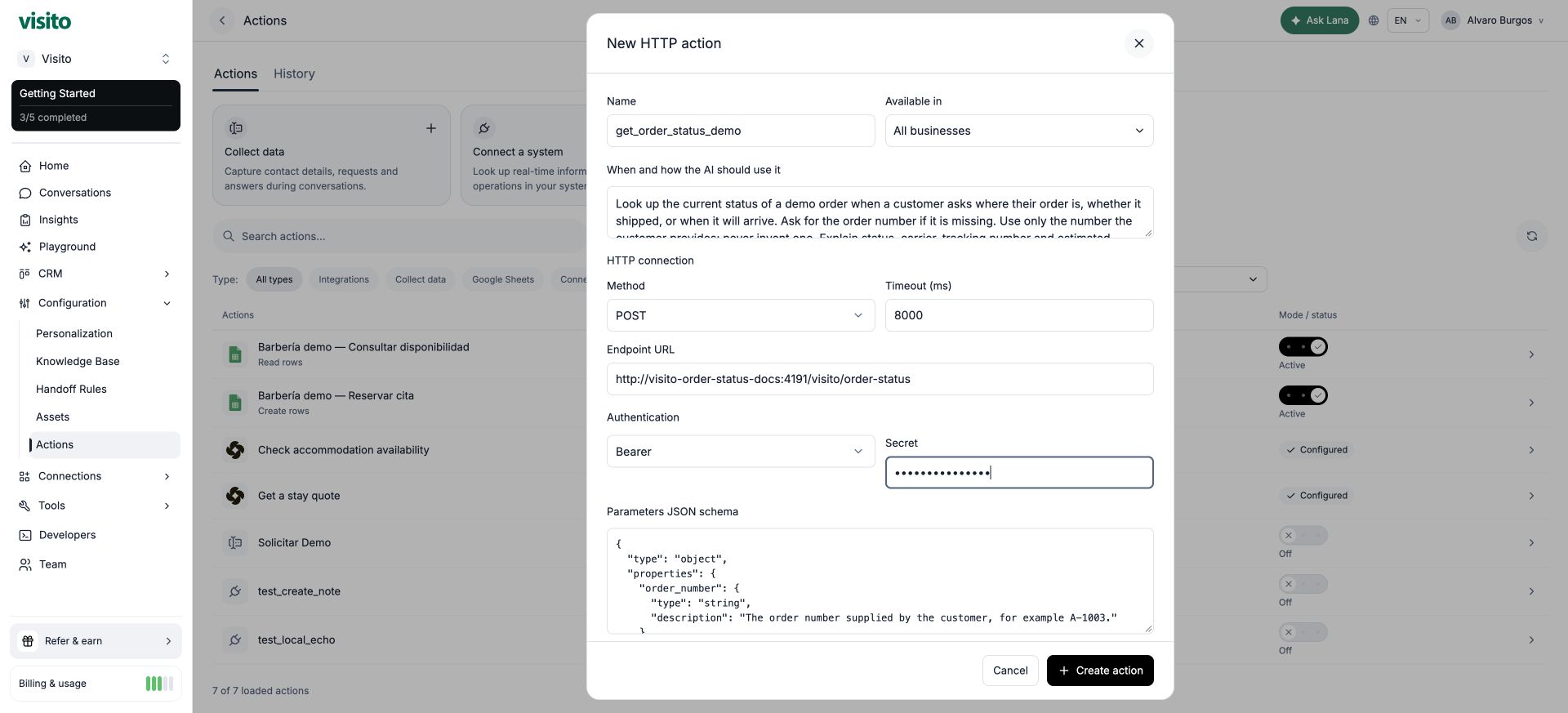
Use a clear purpose in When and how the AI should use it:
Define the information to collect
Paste this into Parameters JSON schema:order_number from the conversation. required tells it the value is needed; your server must still validate the request.
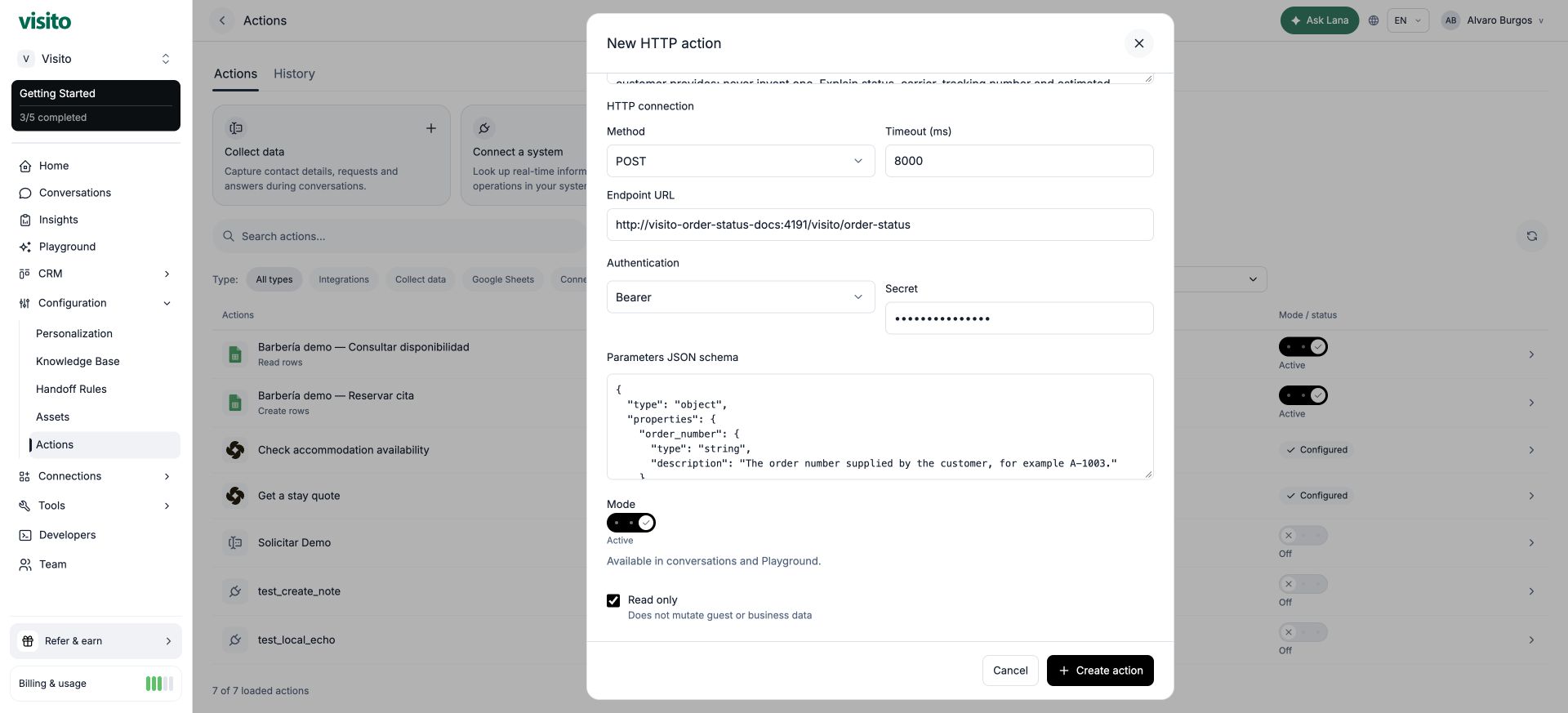
Choose a mode
- Off: unavailable to the agent.
- Playground only: test in Playground without enabling customer channels.
- Active: available in eligible customer conversations and Playground.
3. Understand what is sent to the server
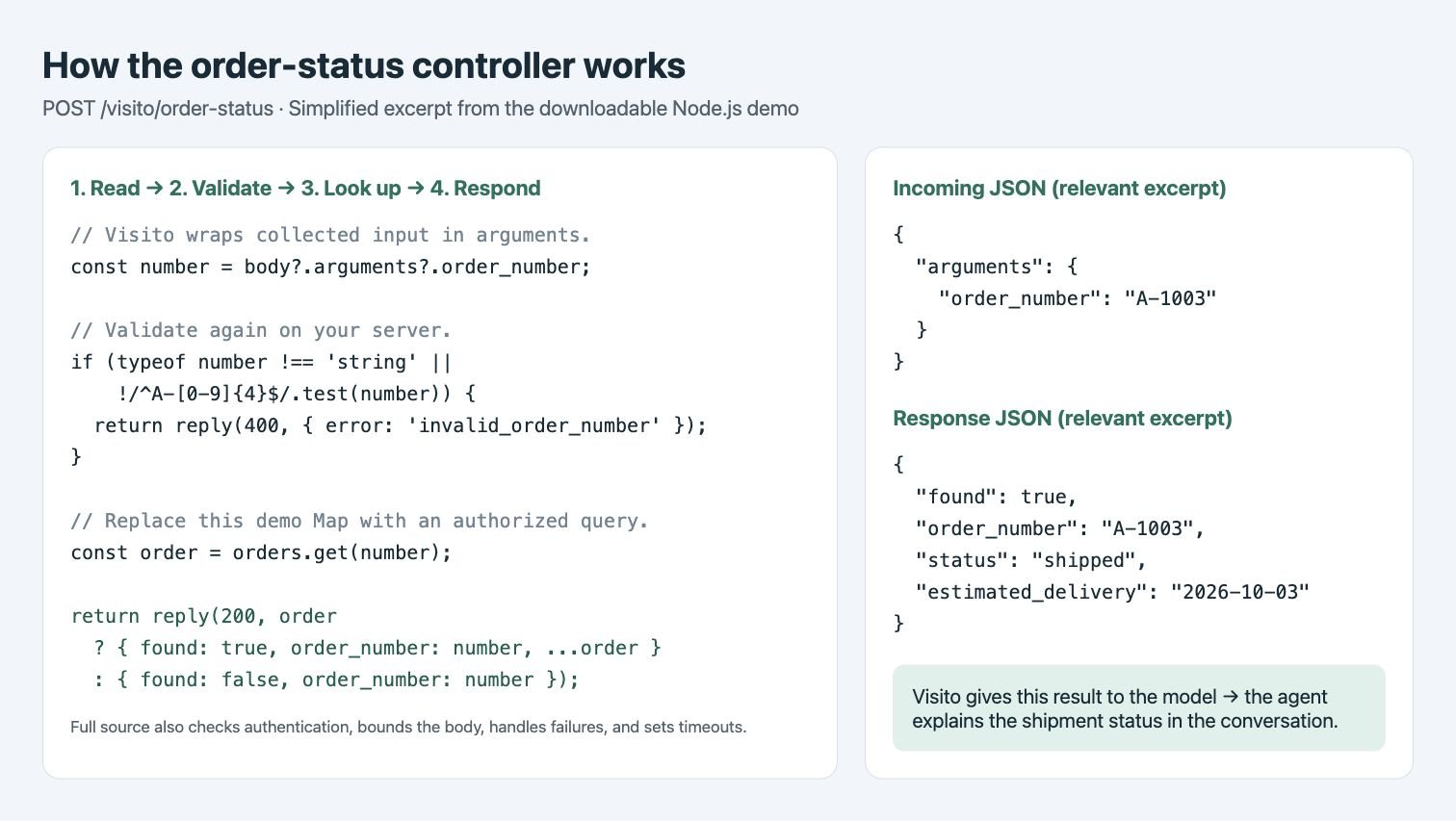
When the customer says “My order number is A-1003,” the generated action input is:body.arguments.order_number, validates it, looks up that key, and returns facts. The demo uses an in-memory map. In your application, that lookup would query an authorized database record or call your order provider.
order_number into an arbitrary URL path or a custom body template. If your provider expects /orders/A-1003 or a flat body, perform that translation in your adapter. See the request contract.
See the controller
The illustration below follows the essential code in the downloadable server: extractbody.arguments.order_number, validate it, look up the record, and return JSON. It is an annotated code excerpt, not a dashboard screen; the full server also handles authentication, bounded bodies, timeouts, and failures.
4. Test the conversation
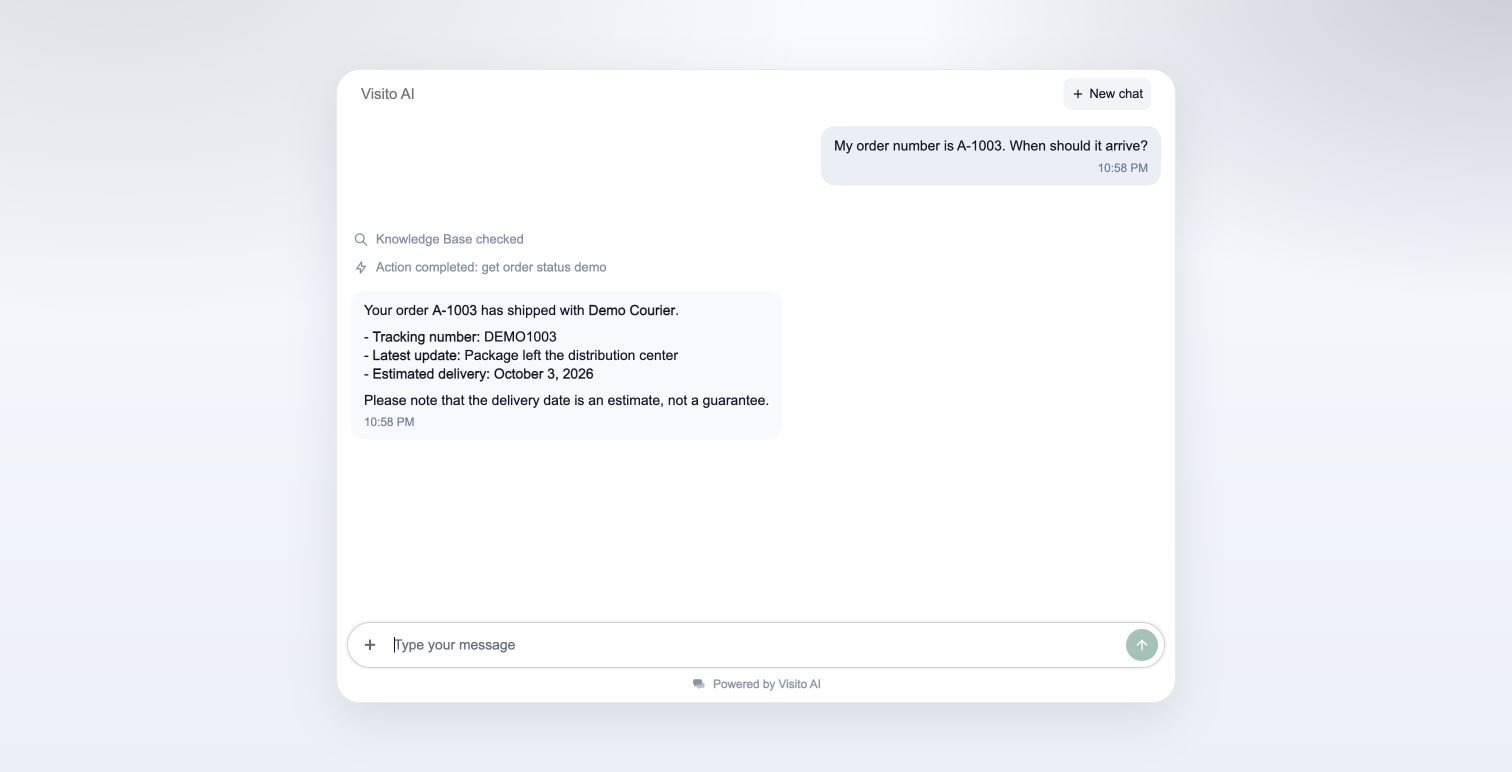
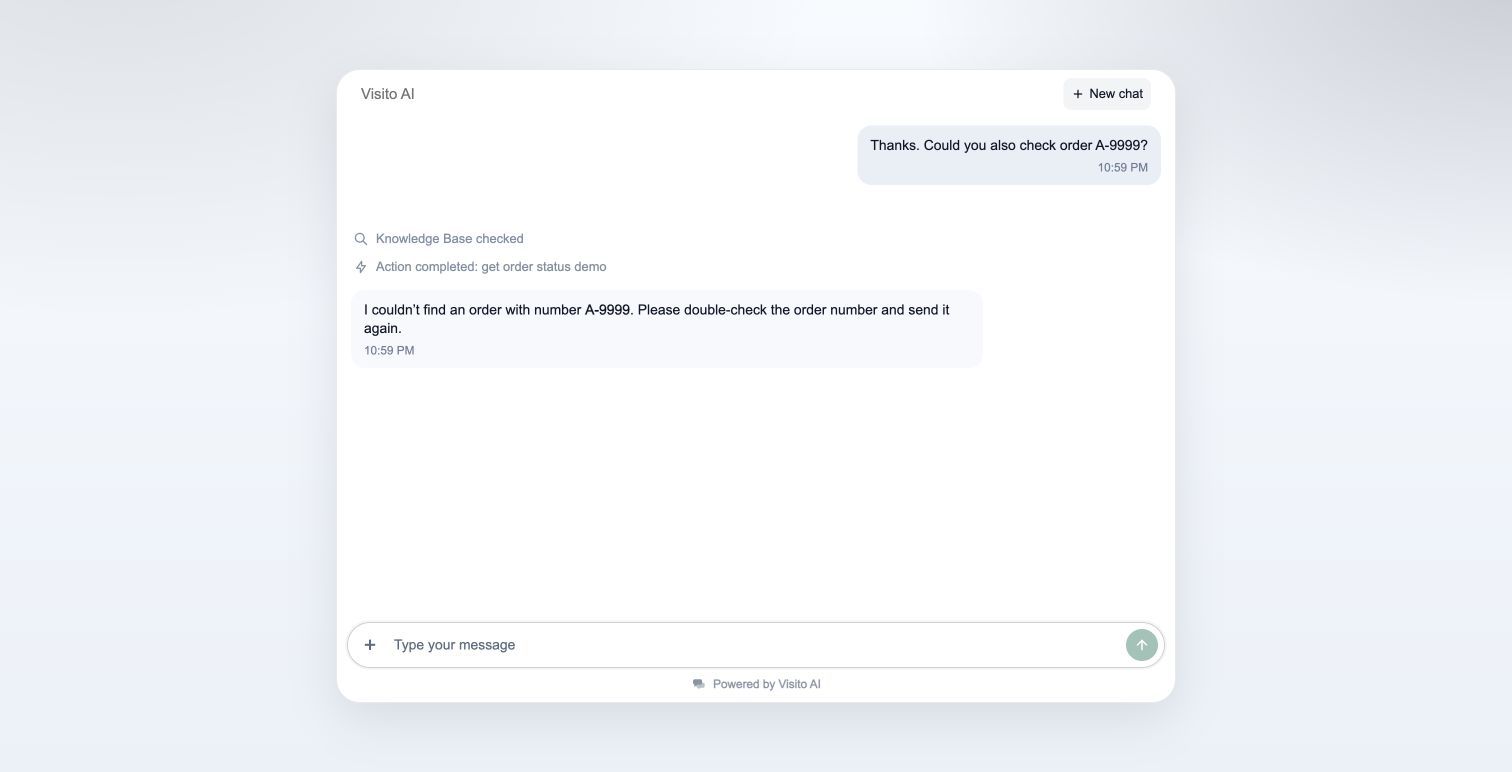
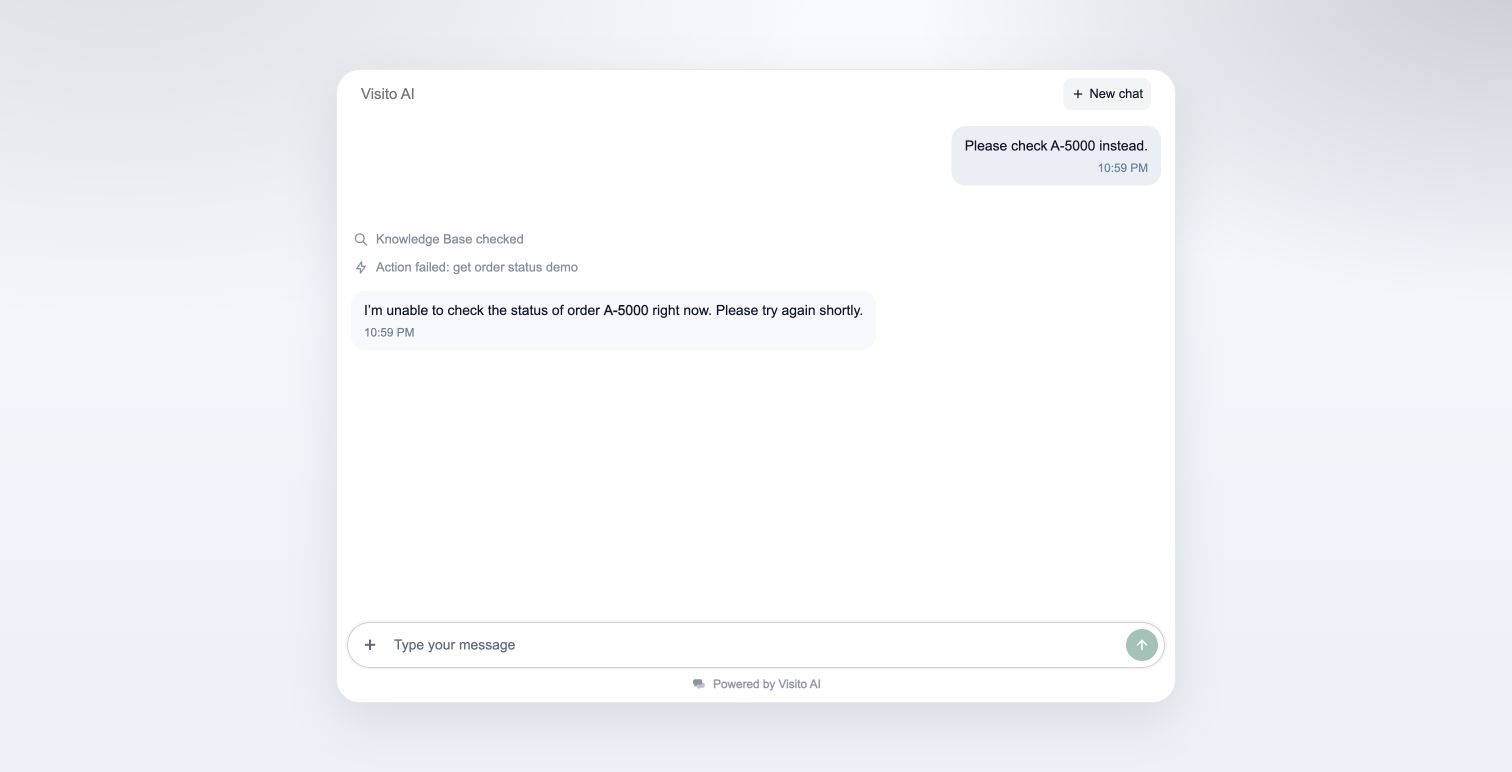
Start a new conversation in your test channel. In Playground, use Playground-only mode. For a controlled Webchat test, explicitly use Active with a synthetic backend.- Ask “Where is my order? Has it shipped yet?” The agent should ask for the order number without calling the lookup with an invented number.
- Supply
A-1003. Check that the answer says shipped, uses Demo Courier and DEMO1003, and presents October 3 as an estimate. - Ask for
A-9999. The agent should say it could not find that order and ask you to check the number. - Ask for
A-5000. The agent should explain that it could not check the status, without inventing delivery details.
5. Review History and conversation details
Go to Actions → History, select the environment and action, and open an execution. Match the timestamp and order number to your conversation.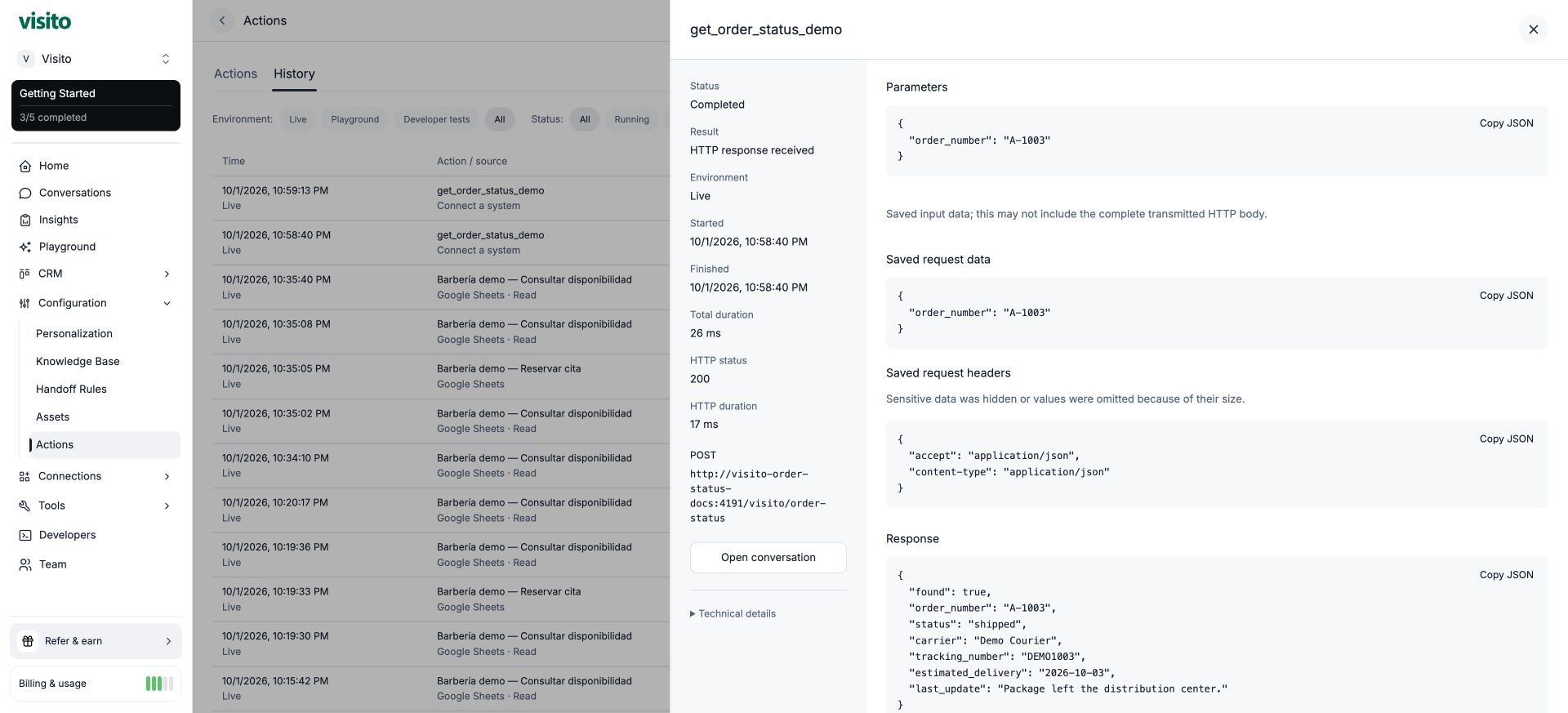
{ "order_number": "A-1003" } in this panel for the complete body your endpoint must parse. Authentication details are hidden or redacted.
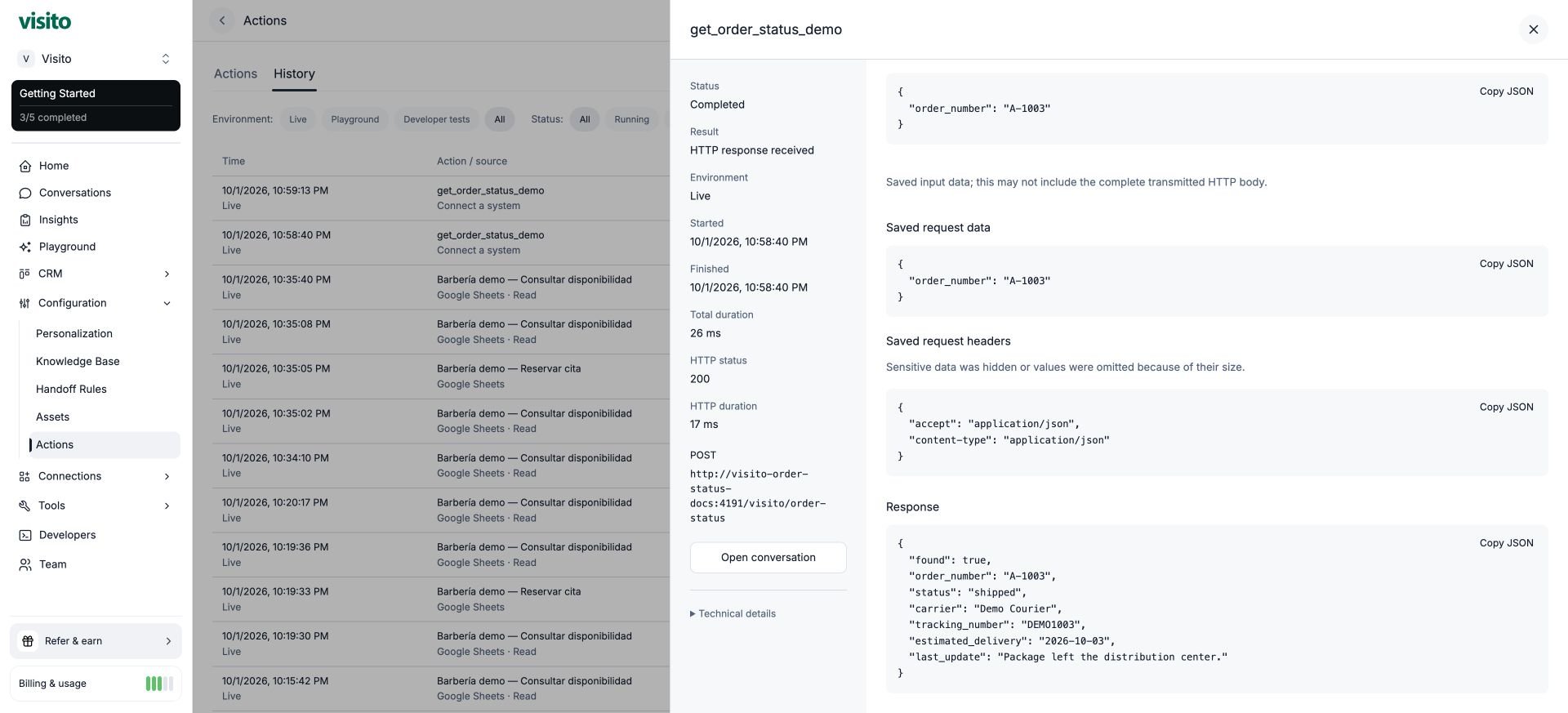
found and status. An unknown order can correctly return HTTP 200 with found: false. HTTP 503 represents a failed lookup, not a missing order.
Expand Technical details for action and execution identifiers. Select Open conversation to follow the execution to the customer exchange. Expand the receipt next to the answer to see the outcome, integration, start time, and duration.
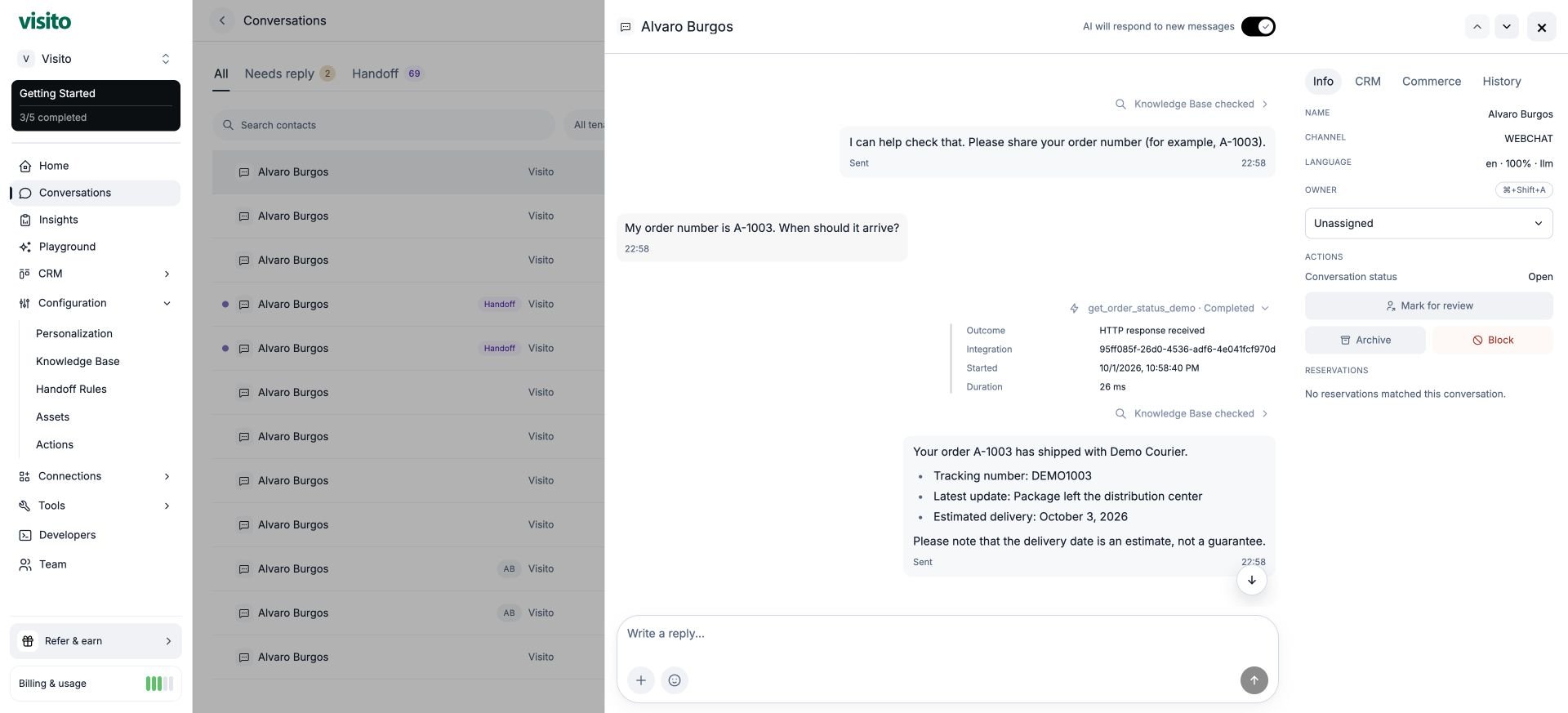
6. Troubleshoot and go live
Before using real orders, your server must verify which records the requester may access. An order number or conversation metadata alone is not proof of ownership. Return only necessary customer-safe information. Keep production credentials on the server and in the action’s authentication configuration, never in prompts.
To stop future calls, set the action to Off; that does not undo an in-flight request. At the end of the demonstration, turn it off before stopping the temporary server. Preserve the history for review.
For API management and tests, use Actions and execution history. Stable HTTP IDs use
http:<toolId>. Discovery, management, diagnostics, and customer-parameter access have separate scopes; existing Tools clients remain compatible. Old Developer Tools links redirect to Actions.
The same lookup pattern works for stock: collect sku, return available and quantity_available, and explain the result. A stock lookup does not reserve inventory.