Use Playground to check whether the agent chooses the right action, asks for missing inputs, sends correct values, and explains the result. Use Connectors → Activity to inspect what actually ran.

Test the complete conversation

Start with Playground only, a controlled destination, and synthetic data. Test:
  • A natural request that should use the action, and a request that should not.
  • Inputs already shared, missing required values, invalid values, and corrections.
  • A successful result, no matching record, and a destination failure.
  • Confirmation before an operation that changes data, where your workflow requires it.
  • The actual API record, saved submission, or spreadsheet values after execution.
API calls are real requests even in Playground. Sheets writes use their configured separate test spreadsheet. Collection submissions in Playground do not create live CRM records or send webhooks. See the relevant setup guide before running writes. A direct developer test checks a configured operation with supplied inputs. It does not test conversational action selection or argument generation. Run a conversation test as well.

Open Activity

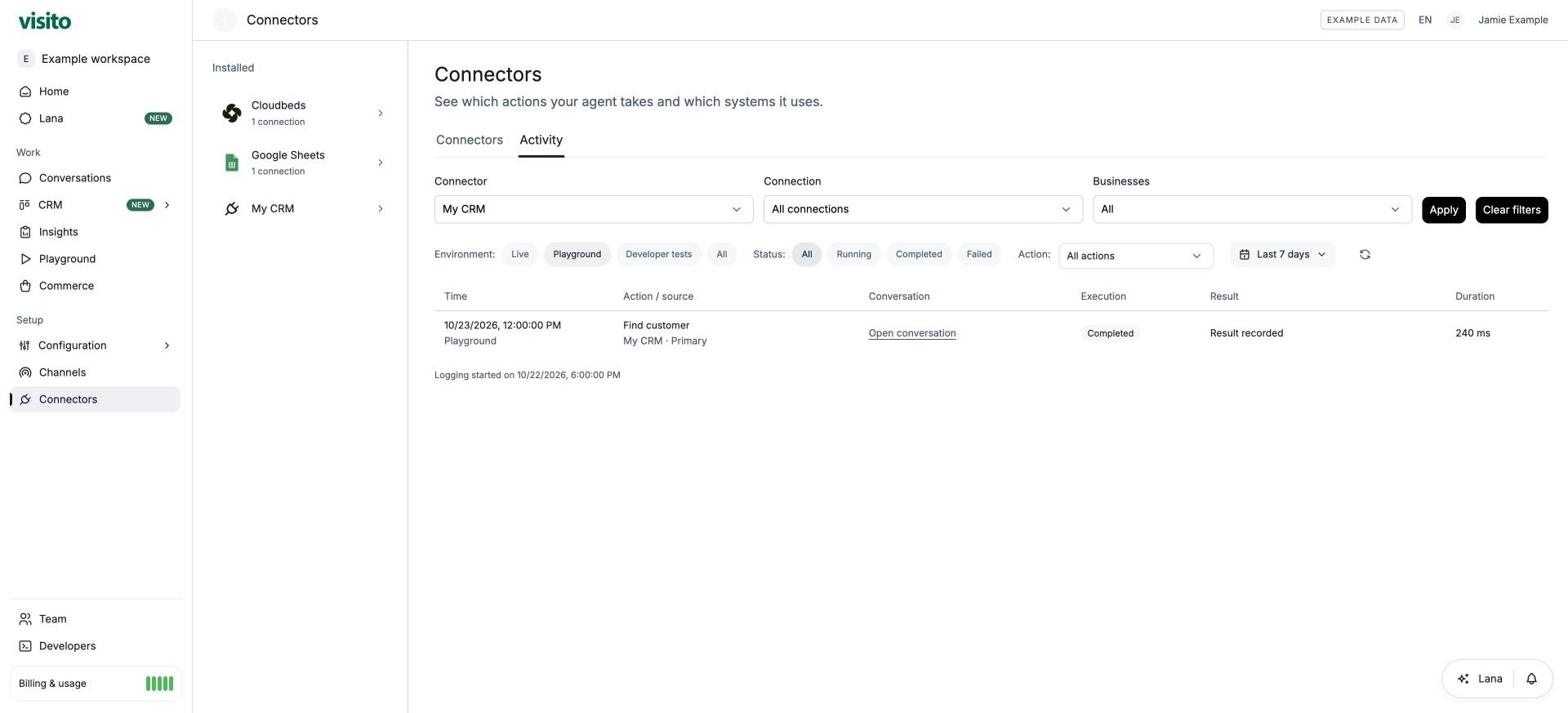
Select View activity in a connector to start with that system selected, or open Connectors → Activity for the workspace view. Activity with the example CRM selected and the Playground environment active. Use the connector, connection, and business filters, then Apply. Use the environment, status, action, and date controls to narrow the executions. Live, Playground, and Developer tests represent different execution contexts; a successful developer test is not evidence of a live customer conversation. If the expected execution is absent, check the environment and date range, refresh, and review the action’s mode, business scope, instructions, required inputs, and conversation handoff state. Logging availability and retention can limit older records.
Inspect an execution

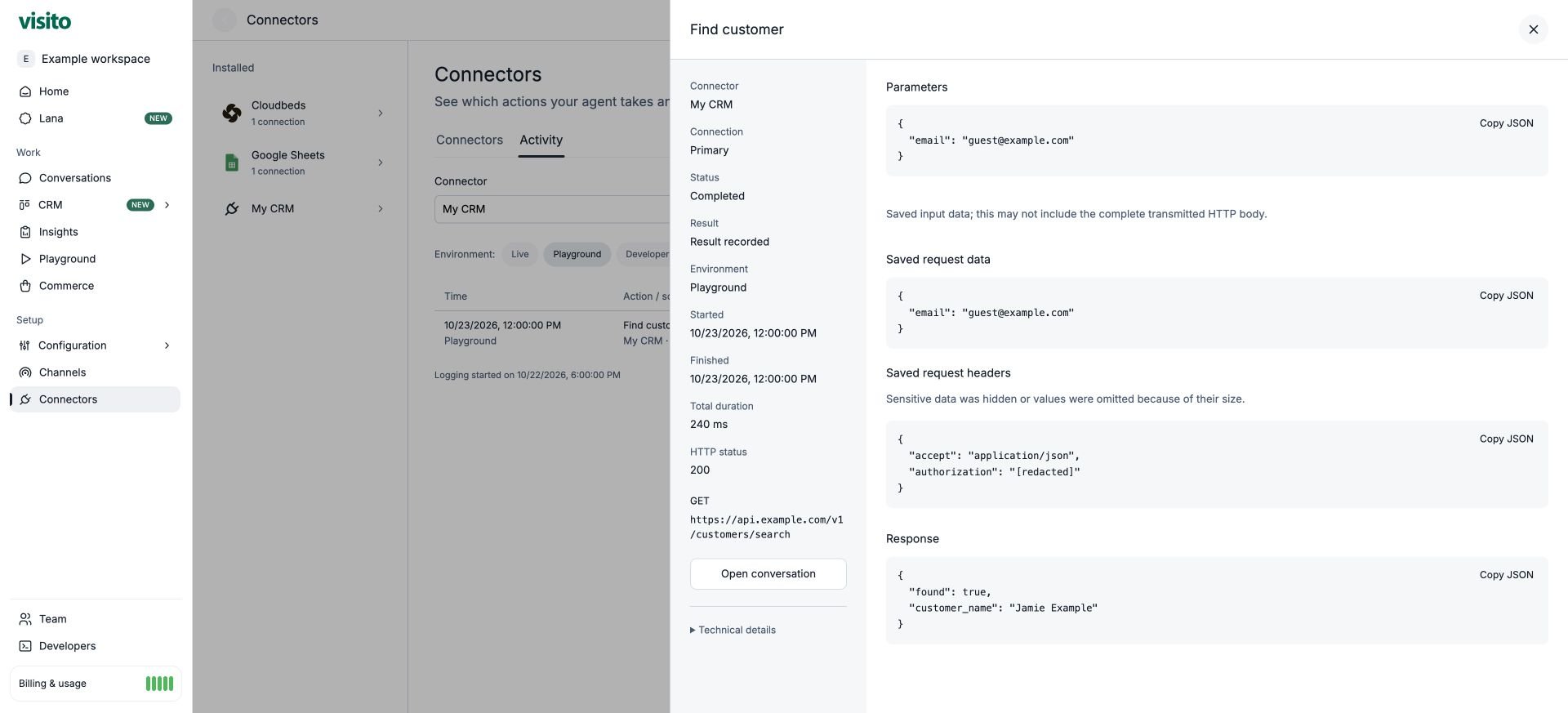
Open a row to see the connector and connection, status, result, environment, start and finish times, and duration. Parameters shows saved input values; Response shows the saved result when available. Example execution detail with the saved input, result, and execution summary. For HTTP actions, available diagnostics can also show the method, endpoint, HTTP status, saved request data, and saved request headers. Authentication and sensitive values are hidden or redacted; size limits or older executions can leave data unavailable. Saved request data may show the input object without the entire transmitted POST wrapper. Expand Technical details for identifiers useful when reporting an issue. Use Open conversation to inspect the request, action receipt, and agent answer together.
Interpret the result

Fix and retest

Set an action to Off to prevent future agent calls while you investigate. Turning it off does not cancel or undo an operation already in progress. After fixing it, rerun the conversation and verify the destination before activating it for customers.