
Before you start
- Select the intended business and sign in as a registered administrator with access to Lana.
- Have authorized API access to the external system. An administrator or support operator will need to enter its credentials privately.
- Start with a narrow test. The Hostaway example checks availability and quotes, without reservations, date blocking, or customer messages.
The agent combines the results during the conversation. A listing’s base price is not a quote for the requested stay.
1. Ask Lana to connect your system
Open Lana, start a chat, and describe the result in your own words. For example:2. Review the proposed actions
Lana prepares the actions and asks you to approve each configuration change. Review the selected business, purpose, destination, inputs, and intended effects. For this example, both actions should be read only and initially Off while authentication is missing. The example uses the action nameshostaway_disponibilidad_prueba and hostaway_precio_prueba. Your names can differ. Confirm that the availability action passes real returned apartment IDs to pricing and that both use the same dates and guest count.
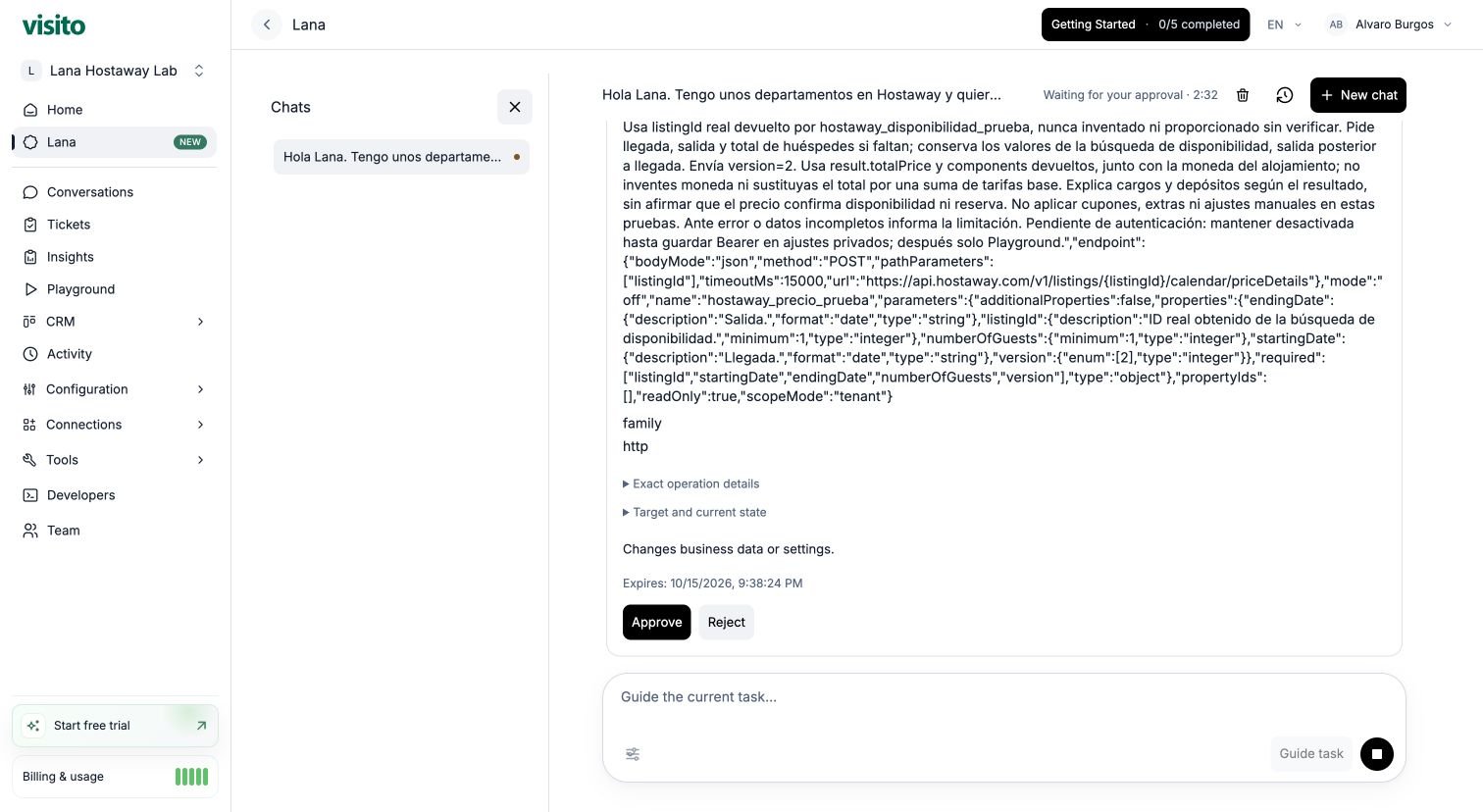
Review the pricing action before choosing Approve or Reject. The example conversation is in Spanish; the dashboard controls are in English.
3. Add credentials through private settings
Keep passwords, API keys, and access tokens out of the Lana chat, action instructions, and input schema. An authorized administrator or support operator must obtain the appropriate provider access token and save it in the action’s private Authentication settings. Follow the provider’s access process: an API key and an access token are not necessarily interchangeable. For bearer authentication in the HTTP action editor, enter the token without theBearer prefix.
Save the access token in the private authentication settings of both actions. If you need help obtaining the token or configuring authentication, contact your administrator or Visito Support.
After saving authentication, return to the same chat:
4. Approve the provider tests
Lana proposes Playground only activation and each external action test separately. Review the action, dates, guests, and apartment ID before approving. Playground-only actions still contact the real provider. In this walkthrough, the approved requests retrieve availability and calculate quotes. They do not reserve an apartment. Ask Lana to summarize the availability response, identify the returned apartment IDs, and use those IDs for pricing. If a response is incomplete or clipped, ask it to inspect the saved execution and diagnostic before proposing another request.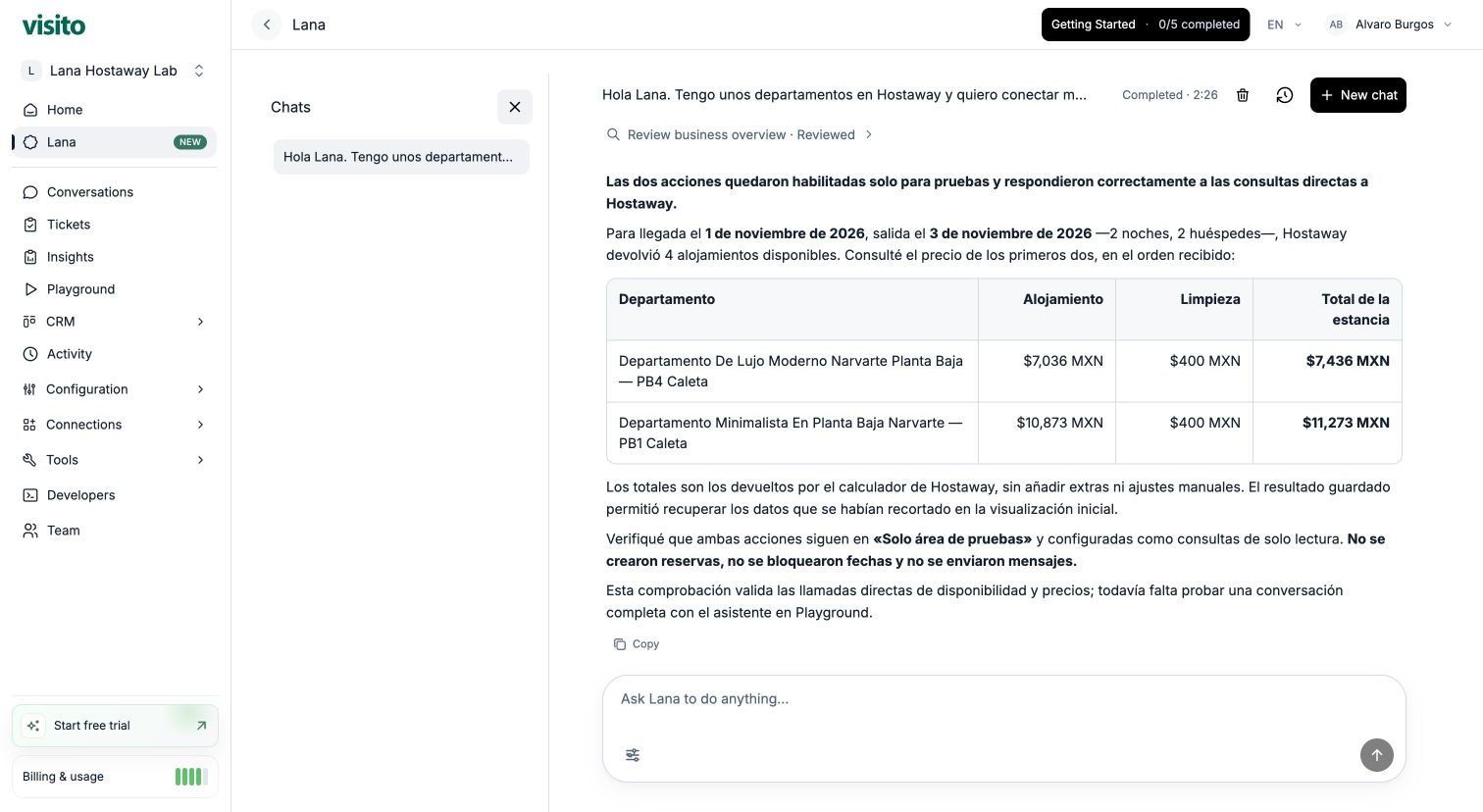
Lana's completed direct tests: availability and two stay quotes, with both actions limited to Playground.
5. Test the guest conversation in Playground
Open Playground for the same business to check how your agent uses the actions during a conversation. Start without stay details: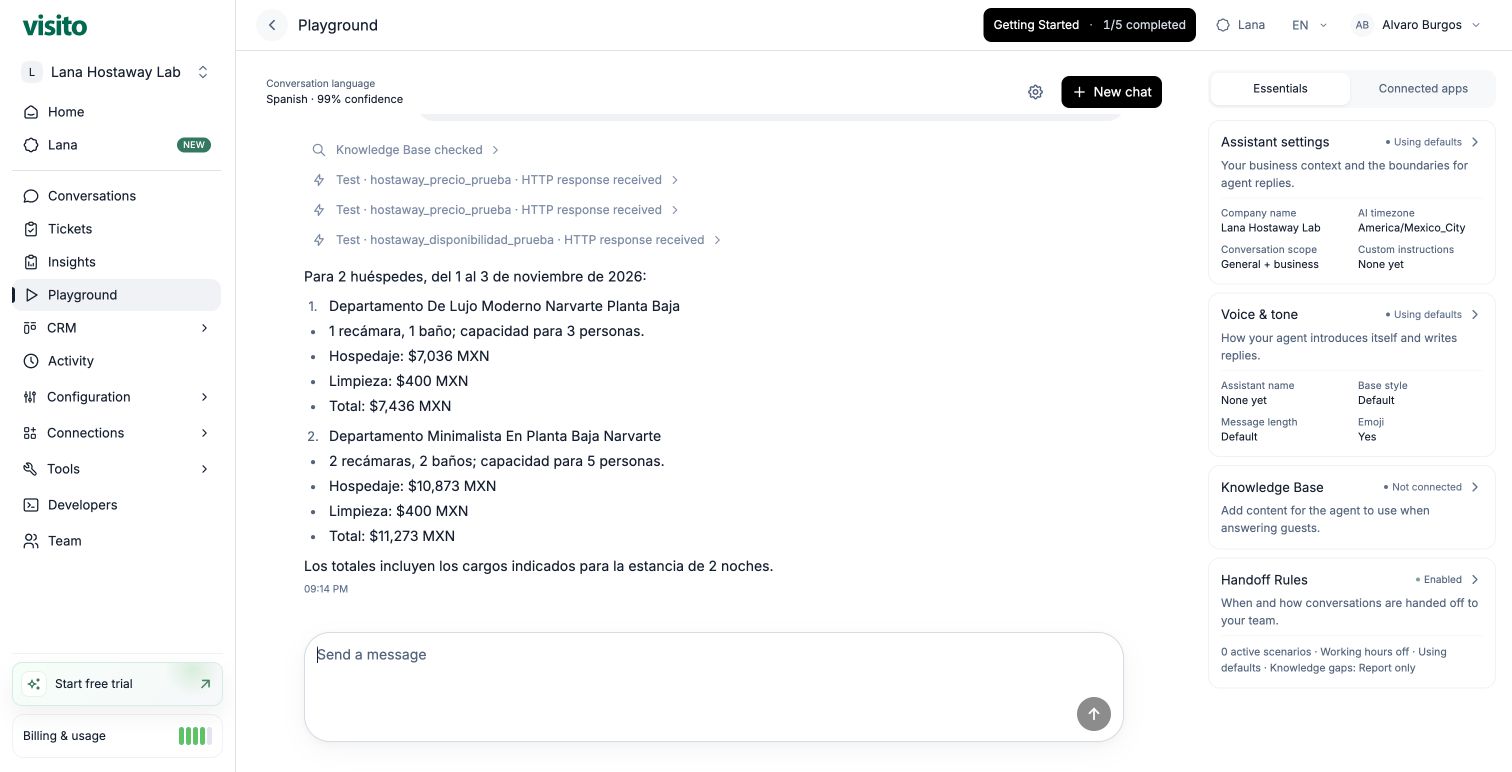
Playground answer using the Lana-created actions, with stay totals and a breakdown of charges.
6. Change the stay details
Check that the agent obtains fresh results rather than repeating the earlier quote: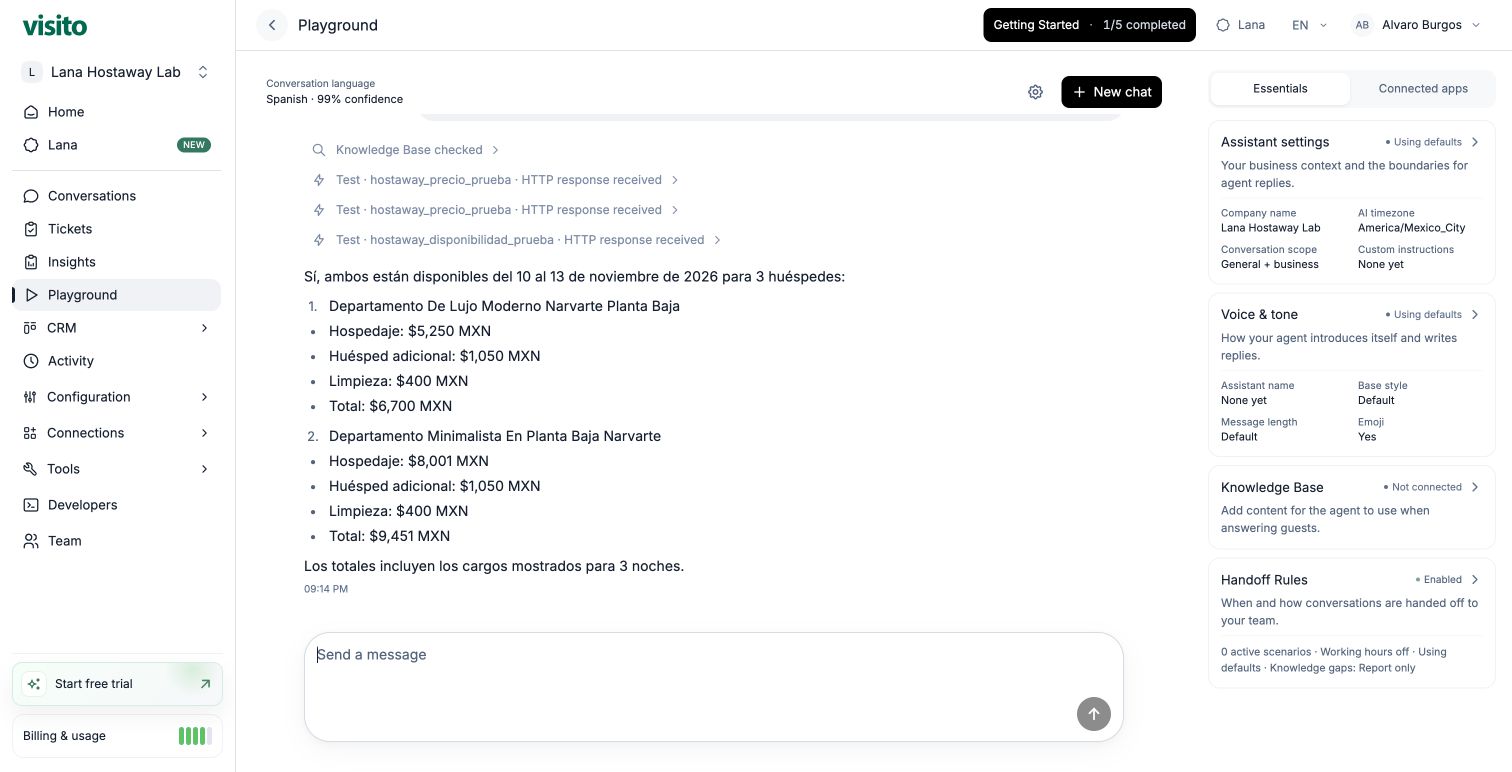
Changed dates and guest count produce new totals from Hostaway for the same apartments.
If something does not work
Keep the actions Playground only while you review the answers. When you are ready, confirm their business scope and switch them to Active for use in customer conversations. Choose Off to pause future calls.
Adapt the example to your own workflow
Start with this prompt and replace the bracketed details:
As with the Hostaway example, pass the IDs returned by one action into the next and keep shared inputs consistent. Test missing information first, then a complete request, then changed inputs. Compare each answer with the latest action results before activating the workflow.
The provider needs an API and an access method Visito supports. Each workflow has its own actions and access requirements; the two Hostaway actions are specific to this example. Ask Lana to explain the proposed connection and whether it needs additional actions, an adapter, or technical assistance.
Lana overview
Review access, approvals, progress, downloads, and credits.
Test your agent
Learn how to inspect the guest conversation and its recorded results in Playground.