
Review and take ownership
- Open Tickets and choose Escalation under Type.
- Select an item and read its description and any saved knowledge-gap details.
- Use Open conversation to inspect the guest’s request and the exchange that led to the handoff.
- Choose a human Assignee and select Start work when work begins.
- Expand Activity to leave internal notes for the team.
Knowledge-gap details
A knowledge gap describes why the agent needed help. It is separate from the ticket’s work status. For example, the guest’s confirmation may offer free cancellation while a FAQ says the reservation is non-refundable. The escalation can show Contradictory evidence, the number of recorded sources and their titles.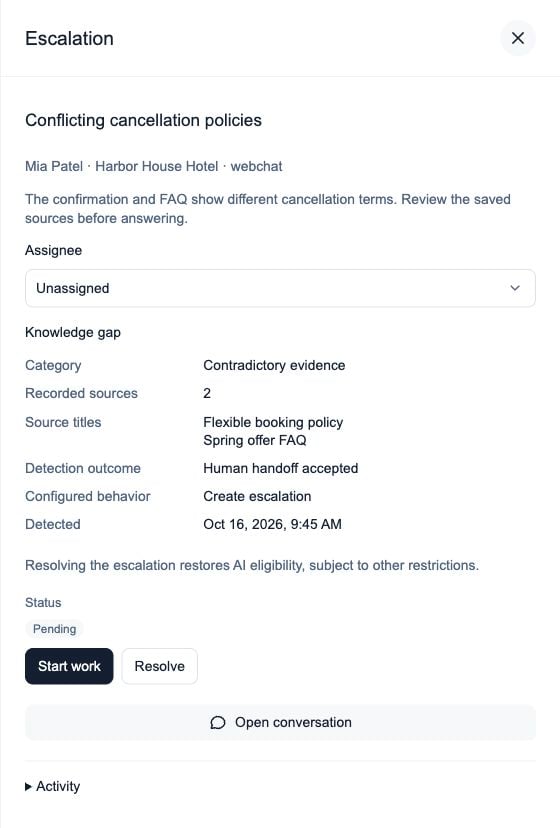
Saved knowledge-gap details explain the handoff; the status still tracks the team's work.