
Add a business
Select Add business and enter:- Name
- Business type
- Country
- Timezone
- Optional review URL
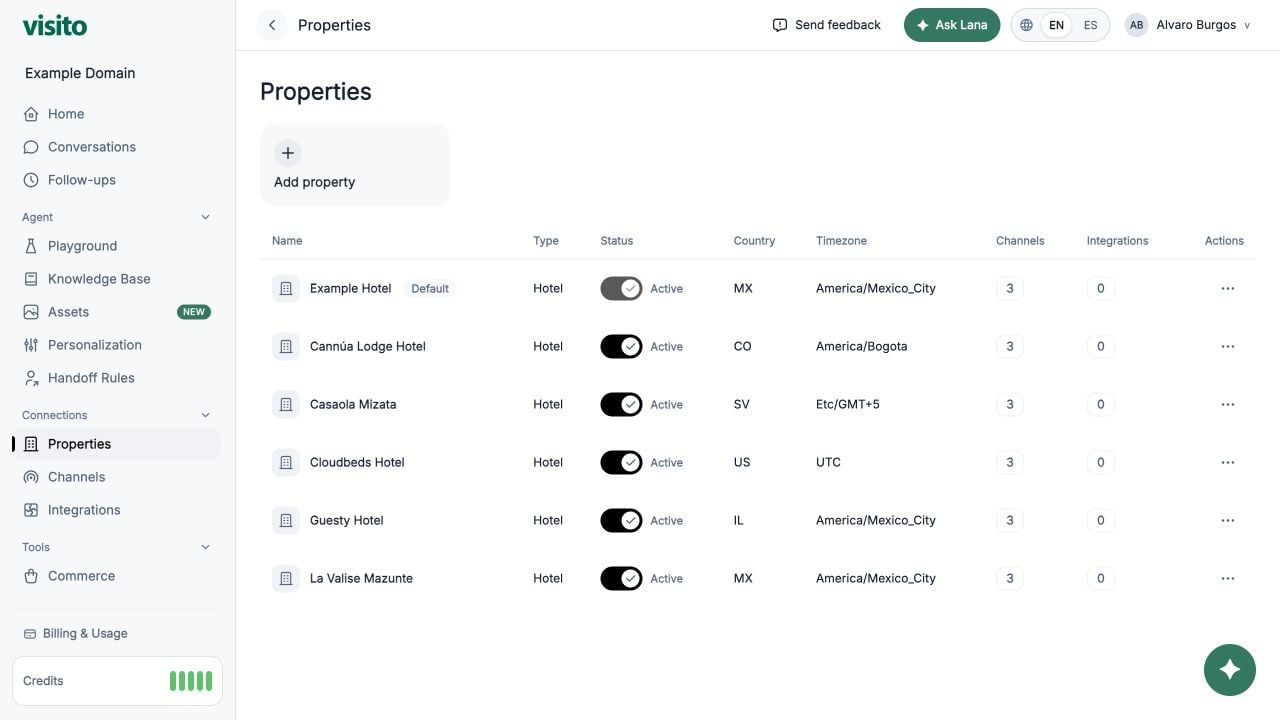
Business table
The table shows:- Name and default-business badge
- Type
- Active status
- Country and timezone
- Number of connected channels
- Number of connected integrations
- Row actions
Open business details
Select a business row or its actions to review and update metadata, status, timezone, country, and review URL. The business drawer also shows attached Channels and Integrations. Use those links to change the relationships from their owning pages.Status and archive
- Inactive businesses remain available for reference but are excluded from active selection in supported workflows.
- Non-default active businesses can be archived.
- The default business cannot be archived.
Review URL
The optional review URL must be an absolutehttp or https address. Customer Engagement uses it for post-checkout review messages.