
Choose your path
The shared connection flow
1
Prepare the Meta assets
Confirm the account, Page, phone number, or Business Portfolio and the Meta user who can authorize it.
2
Confirm the Visito workspace
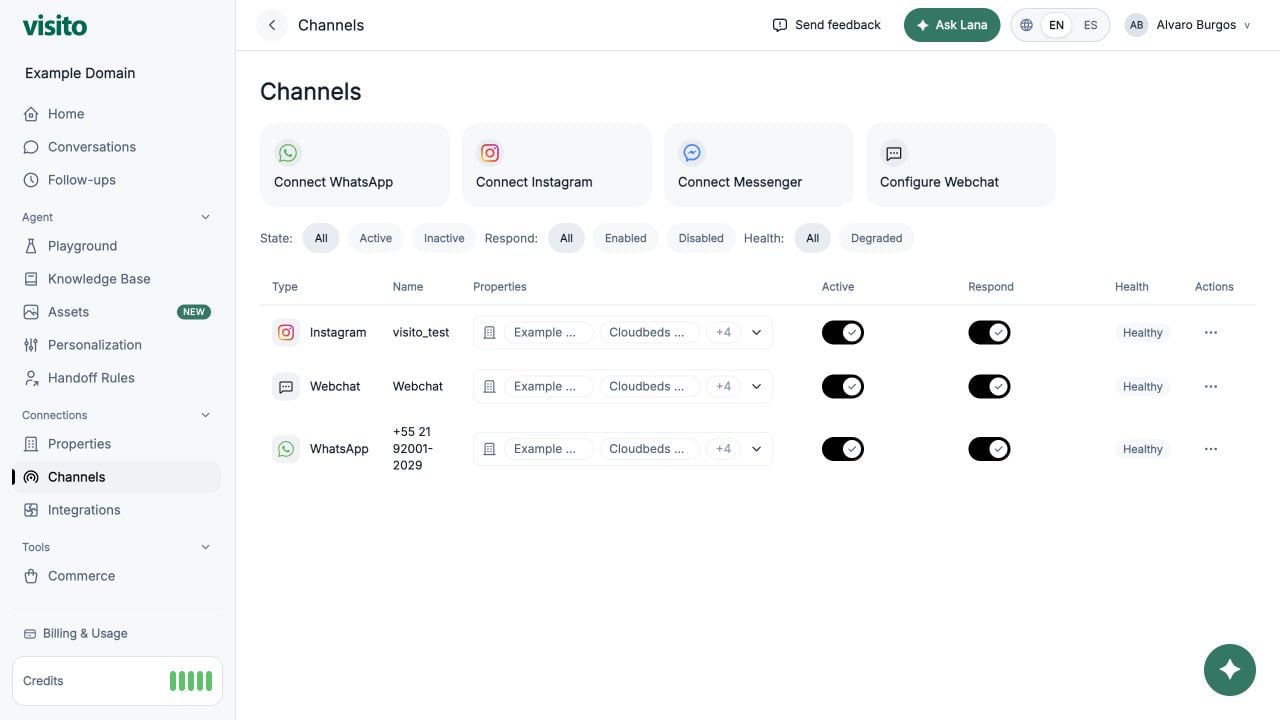
Open Connections → Channels and verify the active workspace before starting.
3
Authorize with Meta
Allow the Meta window to open, sign in with the intended identity, and approve the requested access.
4
Select the assets
Choose the phone number, Instagram account, or Facebook Page that belongs to this workspace.
5
Return to Visito
Complete the callback and wait for the Channels table to refresh.
6
Verify the channel
Confirm health, business assignments, Active, and Respond, then send an inbound test message.
Know which identity you are using
Meta may show several identities during setup:- Your personal Facebook login
- A Business Portfolio
- A WhatsApp Business Account and phone number
- An Instagram Professional account
- One or more Facebook Pages
What success looks like
The connection is complete when:- The expected channel appears in Connections → Channels.
- The channel is not degraded or waiting for another setup step.
- The correct businesses are assigned.
- Active and Respond match your launch plan.
- A real inbound message creates or updates a conversation.
- The AI or an operator can send an eligible reply.
Replying from Meta after connection
Your team can sometimes reply from a native Meta surface, such as the WhatsApp Business App during coexistence or a connected Meta inbox. Meta sends Visito an outbound message echo so the reply can appear in the Visito conversation history. For an outbound message that was not originally sent by Visito:- Visito records the native message in the conversation.
- The conversation’s needs-reply state is cleared.
- AI replies freeze for 30 minutes to prevent Visito and the teammate from answering at the same time.
- Customer messages received during the freeze remain visible and are marked for attention.
- When the timer ends, Visito may answer the latest unanswered customer message if the conversation is still in AI mode.
Understand Auto-Freeze and Meta echoes
Learn how dashboard replies, native Meta messages, timers, and Manual mode interact.
Prepare for Meta authorization
Complete the channel-specific readiness checklist.
Troubleshoot a connection
Find the symptom and follow the safest recovery path.